7 Wedding Day Countdown Ideas and Tools
Compare 7 wedding day countdown apps, widgets, and web tools for planning, sharing, website embeds, social posts, and event displays.
You want one wedding day countdown for your own planning, another that guests can see, and an event experience that keeps going after the timer reaches zero. That usually means combining tools rather than forcing one app to handle private planning, phone visibility, social sharing, website embedding, and venue display.
The right choice depends on where you want the countdown to live, how easily guests can access it, how much customization you need, and whether the timer should connect to guest participation. The seven options below cover those real use cases, from full planning platforms and phone widgets to browser-based displays. The Wedding Pics works well alongside them, adding a QR-based guest-photo album, private collection, moderation, and a live slideshow for the celebration itself.
Table of Contents
- 1. The Knot for private planning
- 2. WeddingWire for an in-app planning countdown
- 3. Zola for phone visibility
- 4. Sevenlogics for themed social sharing
- 5. Big Day for a simple iPhone widget
- 6. timeanddate.com for venue displays
- 7. TickCounter for website embeds
- Wedding Day Countdown: 7-Tool Comparison
- Choose the Countdown That Fits the Moment
1. The Knot for private planning
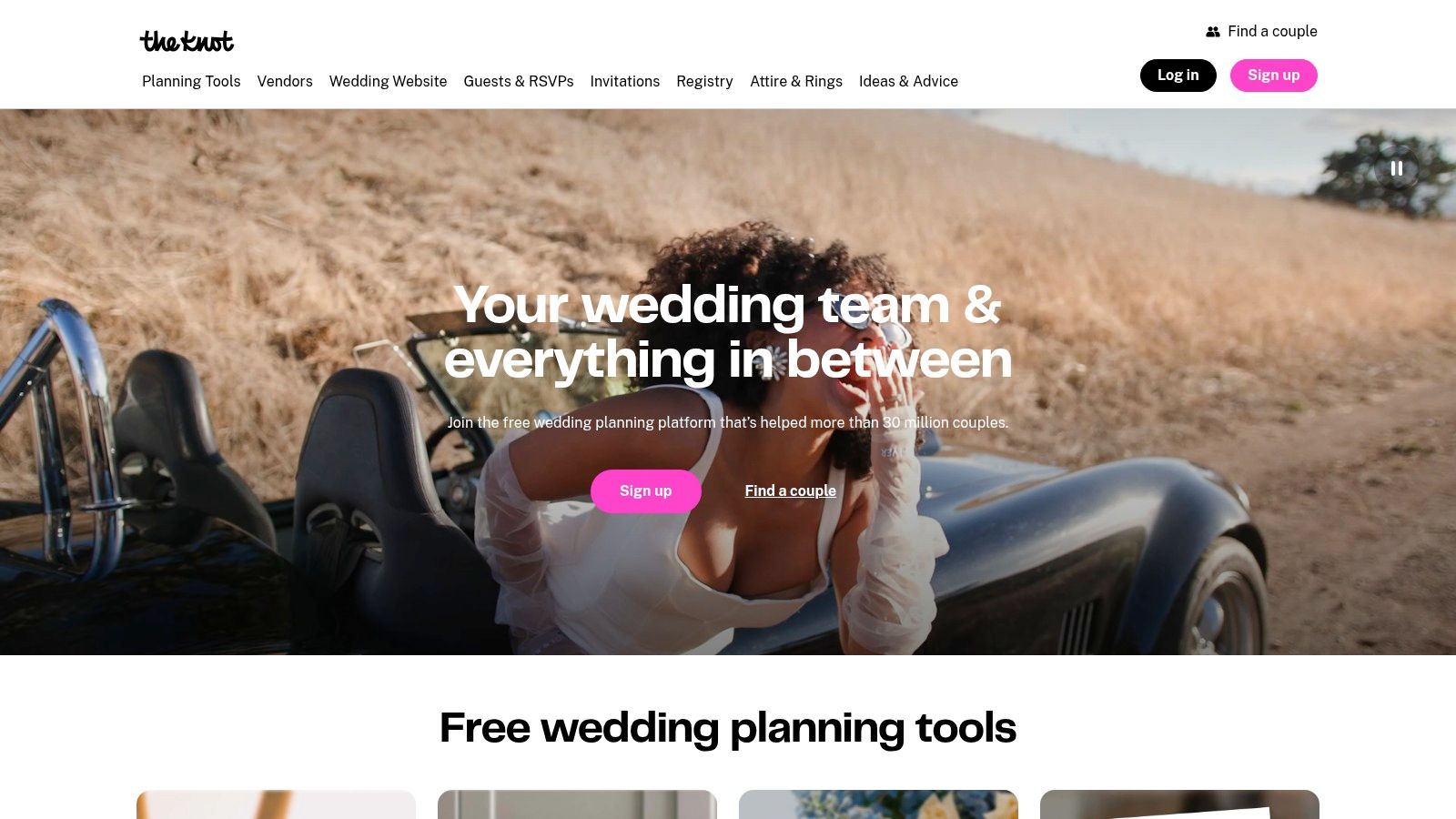
If your countdown needs to sit inside a broader planning system, start with The Knot. Its free Wedding Planner app includes a customizable countdown showing the remaining days, hours, and minutes, so you can check the date while managing the practical work around it.
The app connects the countdown with a wedding website, registry, checklist, seating tools, budget features, vendor marketplace, and guest-list planning. That makes it a strong choice for couples who don't want a separate timer floating outside the rest of their workflow.
Best fit and setup trade-offs
Choose The Knot when you already use its website, registry, or planning tools. You won't need to maintain a separate countdown, and sharing is useful when both partners or selected guests want access to the same planning environment.
The main limitation is placement. The countdown lives inside the app rather than as a web widget that you can drop onto any website, TV, or venue screen. The wider platform can also feel busy if you only want a quiet, display-first timer.
- Use it for: Private planning and an all-in-one wedding workflow.
- Choose it because: The countdown sits beside checklists, vendors, budget work, and guest details.
- Skip it if: You need a standalone website embed or a screen-ready venue display.
The app is available for iOS and Android, making it practical for couples using different phones. It also suits couples who want their countdown to reflect the wider planning process rather than function as a decorative graphic.
2. WeddingWire for an in-app planning countdown
WeddingWire puts a visible “Countdown to your wedding day!” feature on the home screen of its planner app. That placement matters because you don't have to search through menus every time you want to check the remaining time.
The countdown works alongside checklists, budgets, guest lists, vendor searches, and wedding website editing. If your planning already happens in WeddingWire, keeping the timer there reduces the number of separate tools you need to maintain.
Who should use WeddingWire
This is the practical pick for couples who want an app-based countdown tied directly to vendor and logistics planning. It's available on iOS and Android, and the broad feature set gives you room to handle more than the date itself.
The trade-off is similar to The Knot's. WeddingWire's countdown is designed for use inside the app, not as a native embeddable widget for your public wedding website. If guests only need to see the timer, the surrounding planner may be more than you want.
Practical rule: Use WeddingWire when the countdown is part of your planning dashboard, not when the countdown itself is the entire product.
The app makes sense when you want one place to edit your wedding website and manage planning details. It makes less sense for a couple seeking a simple full-screen timer, a social-ready design, or a venue display with no planning interface around it.
3. Zola for phone visibility
Your countdown should be visible the moment you check your phone. Zola is the strongest fit for that use case because its wedding planner app includes an iOS home-screen countdown widget, along with registry, wedding website, and planning tools.
Set the widget on the home screen you open most often. You can check the remaining time without launching Zola, which makes the countdown part of your daily routine rather than another detail to remember. Couples already using Zola for their registry or website can keep the date and planning information in one ecosystem.
Check these setup details first:
- Platform: The home-screen widget is for iOS. Android users will not get the same experience.
- App version: Update Zola before configuring the widget.
- Date settings: Confirm the wedding date, time, and location saved in the app.
- Visibility: Place the widget on your primary home screen, then check that it refreshes correctly.
Choose Zola for passive, everyday phone visibility. Its main advantage is the timer's position outside the app. Its clear limitation is platform coverage, so it is a poor choice if both partners need the same widget experience across iPhone and Android.
Zola also covers the planning-facing side of the countdown. To extend that experience into the wedding itself, pair it with a browser-based guest album using this guide to the best apps for photo sharing. Guests can share memories without installing another app, turning the countdown tool into part of the event experience rather than leaving it as a private reminder.
4. Sevenlogics for themed social sharing
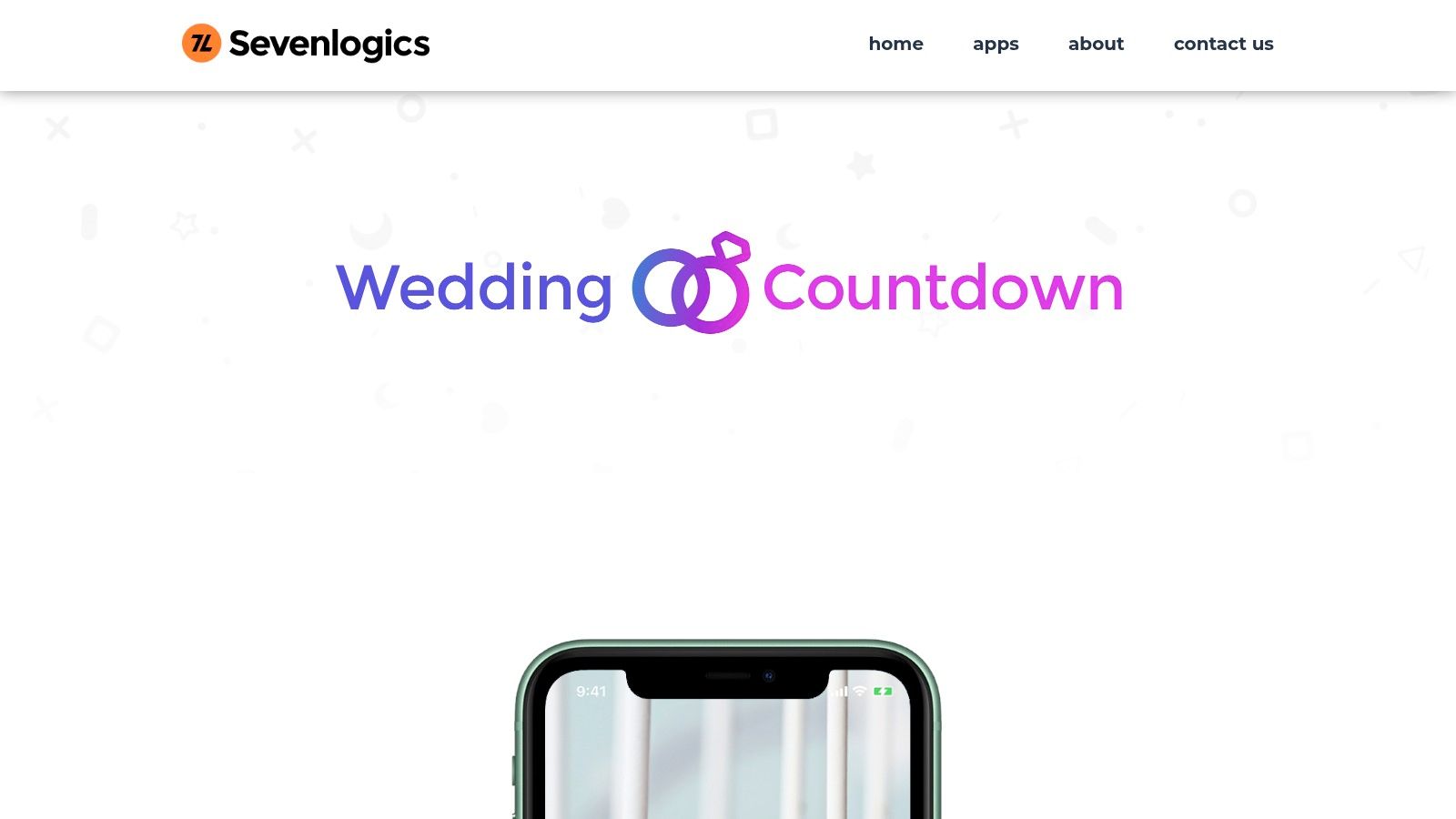
Sevenlogics fits couples who want their countdown to match the wedding's visual identity. Wedding Countdown by Sevenlogics lets you customize fonts, colors, photo backgrounds, audio, custom phrases, and other design details, so the timer can look ready for sharing rather than like a plain date display.
Use it when friends and family need a polished countdown they can view outside your planning tools. The app supports countdowns from years and months through seconds, plus multiple events and sharing through social channels and email. Create separate timers for the wedding, rehearsal, shower, honeymoon, or another celebration milestone.
Match the tool to the sharing job
Choose Sevenlogics when presentation and social distribution matter more than planning administration. Friends can receive an image or countdown without access to a shared wedding dashboard, which keeps private logistics separate from public excitement.
Set up the design before sharing. Slideshows, custom phrases, badge icons, and other premium additions may require in-app purchases, so test the free experience before building a detailed theme. The app also lacks a web widget, ruling it out for a wedding website or venue screen.
- Best use: A branded countdown shared through social media and email.
- Multiple timers: Separate events before the wedding and the honeymoon.
- Poor fit: Website embedding, venue signage, or full planning management.
Sevenlogics runs on iOS and Android, giving both partners broader access than an iPhone-only widget. If guests later need to contribute photos, extend the countdown with a QR-based guest album during the celebration. That turns social sharing into a practical part of the wedding experience.
5. Big Day for a simple iPhone widget
Big Day keeps the countdown uncomplicated. This iPhone app lets you add photos, set notifications, place countdowns on the Home Screen, and manage multiple events. It suits couples who want a clean phone display without adopting a full wedding planning platform.
You can use custom background images and basic color adjustments, then share countdowns as images on social media. The compact design, lack of banner ads, and minimal learning curve make it a sensible option for someone who wants the date visible and doesn't need vendor search, registry management, or seating tools.
Why simplicity matters
Big Day is a better match than a full planner when the rest of your wedding logistics already live elsewhere. You can create separate events for the ceremony, reception, engagement party, or other milestones and keep them accessible from the phone's home screen.
The limitations are clear. It's iPhone-only, offers no native web display, and has less elaborate wedding theming than Sevenlogics. Its one-time price is attractive for a lightweight tool, but you should choose it for convenience rather than advanced presentation.
A good phone countdown should be easy to glance at, update once, and forget until you need it.
If you want the timer to lead into a venue slideshow, review wedding slideshow software separately. Big Day is useful for personal visibility, but it won't collect guest photos or turn those uploads into a moderated event display.
6. timeanddate.com for venue displays
A venue screen needs a countdown that stays readable, loads reliably, and works without a dedicated wedding app. timeanddate.com's countdown creator fits that job. Build the timer in a browser, choose a style or animation, share its URL, or generate embed code for a website, projector, television, stream, or shared browser page.
Basic creation requires no account. Set the wedding date and time, select the correct time zone, and choose whether guests see days only or a more detailed countdown. The same timer can support several public touchpoints, from a welcome display to a wedding website or QR-linked information page.
Configure the display before guests see it
Set the time zone manually. A venue screen running in another region can otherwise show the wrong remaining time. Open the public URL on a separate device, then test the embed at its intended size. Check mobile, too, if guests will reach it by phone.
For a venue display, use a large screen, clear type, and a dependable browser connection. For a wedding website, confirm that the embed resizes properly on mobile. For printed signage, link the QR code to a simple page where the timer appears immediately.
Use timeanddate.com when placement and quick setup matter more than wedding-specific styling. Hosted pages may show branding or advertising, and its themes offer less control than a dedicated design app. That trade-off is acceptable for a practical screen, but less suitable for a carefully branded reception display.
A wedding website QR code can extend the countdown beyond the screen. Place it on a welcome sign so guests can open the timer alongside the schedule, travel details, and a QR-based guest-photo album. The display marks the remaining time, while the linked page continues the experience during the celebration.
7. TickCounter for website embeds
TickCounter suits couples who want one public timer across several touchpoints. Add it to a wedding website, place it on a signage page, or let a QR code open the same live countdown. Its builder provides embed code and WordPress guidance, while parameters let you adjust colors, labels, and time zone settings.
For teams using less common site builders, TickCounter also offers API controls and oEmbed. That reduces custom development while leaving room to match the timer to the surrounding website or display.
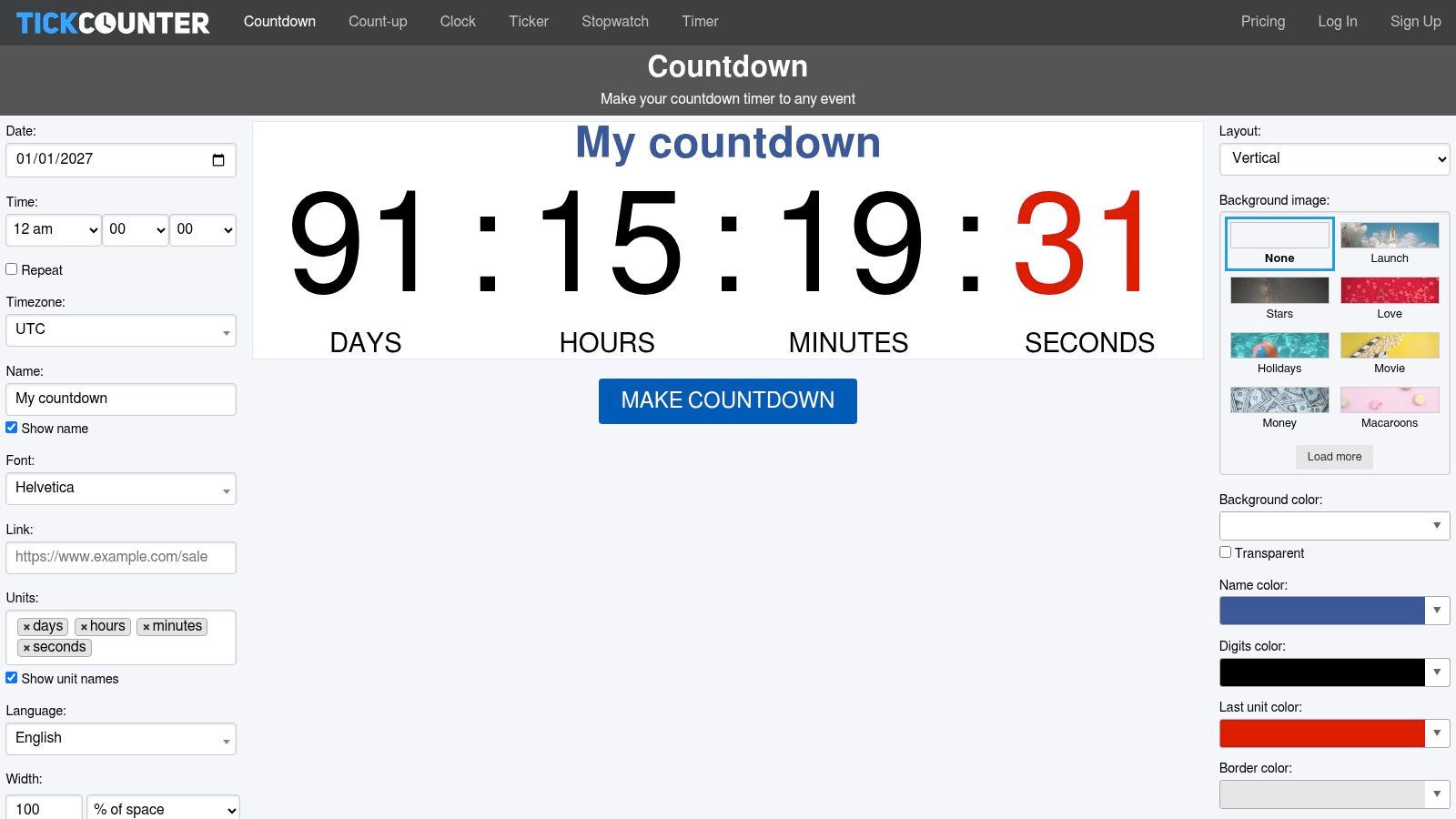
Use TickCounter when fast deployment matters more than a wedding-specific design. The same countdown can appear on the couple's website and a venue screen, giving guests one consistent date reference. A printed sign can direct visitors to it through a QR code.
Check the free version before ordering stationery. It includes TickCounter branding and a link, and removing that branding requires contacting TickCounter. The result may suit an information page, but it can look out of place on carefully branded programs or reception signage.
- Best for: Website embeds, QR-linked pages, and venue displays.
- Useful controls: Styling parameters, labels, time zone, and embed placement.
- Main limitation: The default design is not wedding-specific, and branding may remain visible.
Extend the countdown into the celebration with a QR code for wedding photos. Guests can scan a printed card, upload images through a browser page, and have approved photos appear on a venue slideshow. The timer starts the interaction before the ceremony, while the photo album keeps guests participating during the event.
Wedding Day Countdown: 7-Tool Comparison
| Tool | Implementation complexity 🔄 | Resources & platforms ⚡ | Expected outcomes 📊⭐ | Ideal use cases 💡 | Key advantages ⭐ | |---|---:|---|---|---|---| | The Knot – Wedding Countdown (The Knot app) | 🔄 Medium, account + in‑app setup; not embeddable | ⚡ iOS & Android app; free; ties to The Knot ecosystem | 📊 Integrated planning visibility; ⭐⭐⭐ for planning continuity | 💡 Couples already using The Knot for website/registry and full planning | ⭐ Integrates countdown with website, registry, checklist & vendors | | WeddingWire – Countdown (WeddingWire app) | 🔄 Medium, in‑app setup; broad feature set | ⚡ iOS & Android app; free; planner‑centric | 📊 Centralized planner view; ⭐⭐⭐ for planner users | 💡 Users who want countdown inside a comprehensive planner app | ⭐ Broad toolkit and clear documentation for planners | | Zola – Wedding Planner app (iOS widget) | 🔄 Low, widget placement + app setup | ⚡ iOS only (home‑screen widget); free | 📊 Immediate home‑screen visibility; ⭐⭐ for iOS users | 💡 Couples using Zola who want an always‑visible iOS widget | ⭐ True iOS widget; seamless with Zola registry/website | | Wedding Countdown (Sevenlogics) | 🔄 Medium, app setup; many customization options | ⚡ iOS & Android; free with in‑app purchases for premium features | 📊 Highly shareable, themed countdowns; ⭐⭐⭐ for presentation | 💡 Users wanting wedding‑themed visuals, music and multiple timers | ⭐ Deep customization (fonts, audio, multiple countdowns) | | Big Day – Event Countdown (Big Day app) | 🔄 Low, simple on‑phone setup | ⚡ iPhone only; low one‑time price; lightweight | 📊 Clean, simple on‑phone display; ⭐⭐ for simplicity | 💡 Couples wanting an uncomplicated personal countdown on iPhone | ⭐ Low cost, minimal learning curve, multiple events support | | timeanddate.com – Web countdown creator | 🔄 Low, build in browser and embed/link | ⚡ Web-based; no account required for basics; embeddable code | 📊 Reliable public/venue displays and overlays; ⭐⭐⭐ for displays | 💡 Venue screens, streaming overlays, QR‑linked pages or websites | ⭐ Fast to set up, embeddable, time zone and precision controls | | TickCounter – Embeddable countdown widgets | 🔄 Low, point‑and‑click builder + embed/API | ⚡ Web embed + API; WordPress guidance; free tier (branding) | 📊 Quick website/QR embeds; ⭐⭐ for web integration | 💡 Adding a live countdown to wedding websites or signage | ⭐ Quick deployment, API/parameter styling, oEmbed support |
Choose the Countdown That Fits the Moment
Match the tool to where guests and planners will use it. Choose The Knot or WeddingWire when the countdown belongs inside a wider planning ecosystem, especially if you already manage your website, registry, guest list, vendors, or budget there. Those apps are the most sensible choices for private planning because the date sits beside the work required to reach it.
Choose Zola or Big Day when phone visibility is the priority. Zola is the better iOS widget choice if your registry and website already live there. Big Day is better for a simple, low-friction personal display with multiple events and minimal setup. Neither replaces a public website embed or a venue-ready screen.
Use Sevenlogics when presentation and social sharing matter most. Its wedding-focused customization gives you more control over photos, fonts, colors, audio, and themed messages. Choose timeanddate.com or TickCounter when the countdown needs to live on a website, open from a QR code, or run on a TV, projector, or other shared display.
Test before you publish. Confirm the wedding date, exact time, and time zone. Open the countdown on both a phone and a desktop, check how the embed behaves at its real display size, and verify that sharing permissions don't expose private planning details. If you're using a QR code, scan it from the printed version rather than trusting the design file.
The event shouldn't end when the timer reaches zero. Place a QR card at the ceremony, reception, or guest table and invite guests to upload photos and messages to The Wedding Pics from their mobile browser. Guests don't need an app or account, and you can keep incoming files private while approving the images that appear in the gallery or live slideshow. One album can cover the ceremony, reception, after-party, and pre-wedding events, giving the countdown a practical role before the wedding and a memory-collecting role during it.
The Wedding Pics gives your wedding day countdown a useful next step, with QR-based guest uploads, private moderation, original-quality files, and a live slideshow for approved memories. Set up a guest-photo album before the celebration and invite everyone to contribute through The Wedding Pics, so the timer leads directly into a shared event experience.
- wedding day countdown
- wedding countdown apps
- wedding planning tools
- countdown widgets
- wedding website ideas