Best App for Photo Sharing: Top Picks for Your Wedding
Discover the best app for photo sharing at your wedding. Compare features, privacy, and QR upload options to find the perfect solution for your big day.
From first scan to shared album
See best app for photo sharing: top picks for your wedding from the guest’s side.
Discover the best app for photo sharing at your wedding. Compare features, privacy, and QR upload options to find the perfect solution for your big day.










Your wedding is over, the group chat is already noisy, and your aunt has texted you six blurry ceremony shots while three bridesmaids posted the same dance-floor moment to different apps. That's the post-wedding photo mess most couples inherit, and it's exactly why the best app for photo sharing is usually the one that keeps guests from scattering your memories across every corner of their phones.
| Option | Best fit | Guest friction | Photo quality | Privacy control | |---|---|---:|---:|---:| | WhatsApp or group chat | Small, casual groups | Low at first, messy later | Often compressed | Weak | | Google Photos | Mixed-device groups | Moderate | Depends on settings and upload quality | Moderate | | Apple Shared Albums | Apple-only guests | Low for iPhone users, poor for Android guests | Reduced compared with originals | Moderate | | QR-based wedding gallery | Wedding guests of all ages | Lowest | Original-quality preservation is the point | Strong |
A wedding is not a normal photo event. You're dealing with relatives who barely use apps, friends who live in group chats, and guests who took the same first kiss photo from six different angles. A solution that works for a birthday party can still fail at a wedding because people need one clear place to upload, one clear place to view, and one clear place for you to download everything later.
The right choice is less about “what's popular” and more about what prevents the photo chaos from starting in the first place. That's the standard I'd use for any couple planning a wedding.
Table of Contents
- The Post-Wedding Photo Chaos Problem
- What Makes a Wedding Photo Solution Work
- Consumer Apps vs Purpose-Built Wedding Solutions
- Why QR Code Web Solutions Often Beat Apps for Weddings
- Real Wedding Scenarios That Guide Your Choice
- Making Your Final Photo Sharing Decision
The Post-Wedding Photo Chaos Problem
The ceremony ends, the speeches are done, and the dance floor is still warm when the first photos start landing everywhere except one place. One cousin posts to Instagram, two friends send images in a group chat, someone else AirDrops a few shots at the bar, and your phone becomes the unofficial intake desk for everybody else's memories. That's not a photo archive, it's a scavenger hunt.

A wedding generates the kind of photo sharing that looks simple until it isn't. The bride's college friends already use one app, the groom's family uses another, and the couple ends up begging guests to “please send the photos” after the honeymoon. If you've ever watched guest photos disappear into text threads, that frustration is exactly why a centralized event gallery matters, as the wedding-focused guest photo setup at guest photo collection for weddings points out.
Why scattered uploads become a real problem
A scattered workflow doesn't just waste time. It also buries the good shots under routine messages, reaction emojis, and unrelated chatter that nobody wants to dig through later. The result is a collection that feels incomplete even when guests were taking great photos all night.
Practical rule: if guests can't upload in one obvious place, they won't. They'll mean to send the pictures later, then life gets in the way.
The bigger issue is that wedding photos aren't casual snapshots. You want candid aisle shots, reception details, and moments the photographer missed, all preserved in a form you can print, share, and archive. That means the sharing method has to work for the least tech-comfortable guest, not just the most enthusiastic one.
A group chat can feel convenient in the moment, but it's a poor long-term container. Shared albums can help, but only if your crowd is already comfortable with the platform. For weddings, friction is the enemy, because every extra step lowers the chance that guests will contribute at all.
What usually goes wrong after the reception
The common failure pattern is predictable. Guests are happy to take photos, but they don't know where to put them, so the files spread everywhere. Then the couple spends days chasing people, saving screenshots, and cleaning up low-quality versions from messaging apps.
That's why the “photo sharing” decision belongs in the planning phase, not after the wedding. If you wait until the day after to decide where guest photos should live, you're already managing a mess you could've prevented. The wedding photo upload website guide makes the same practical case, and it's the right mindset for couples who want a clean handoff instead of a digital cleanup project.
What Makes a Wedding Photo Solution Work
A wedding photo tool should be judged by friction, not feature count. If a 70-year-old aunt cannot understand it in ten seconds, it is too complicated for your guest list. If guests need to create accounts, install apps, or remember a password they never wanted in the first place, participation drops fast.
Guest access has to be nearly effortless
The first question is simple. Can people upload from the browser without signing in? For a wedding, that matters more than most app menus because your guest list always includes a mix of tech comfort levels. The easiest path is the one they can use with the phone already in their hand.
A QR code works because it removes the guesswork. Guests scan, open the upload page, and move on with the night. That matters even more when the reception is moving quickly and nobody wants to stop dancing just to troubleshoot another app install.
Quality and privacy are the baseline
The second question is whether the service preserves the photos in the way you want them later. Google Photos, for example, can compress shared uploads to storage-saver size unless each guest changes their own upload setting. That is out of your control, and it is a poor fit for photos you may want to print or archive.
Privacy is the third filter, and too many couples treat it like a checkbox. The key question is whether the provider can technically access the photos at all, because some services rely on standard server-side handling and may use data for product features or advertising. If you are collecting sensitive event photos, that is a serious consideration.
Short version: if the platform makes guests work too hard, or if it weakens the files, it is the wrong tool for a wedding.
The fourth factor is what happens after the event. You need easy access to downloads, clear control over who can view the gallery, and no nasty surprises when you try to retrieve everything weeks later. A private album, bulk export, and couple-level control are far more useful than a generic app with a nicer logo.
One more filter helps when comparing options: think about the guest who shows up late, the parent who does not use the same phone ecosystem, and the friend who refuses to download anything new. If the solution still works for those three people, it probably works for everyone. The practical guide to a wedding photo upload website follows the same logic, and couples who want clean collection instead of cleanup should pay attention to it.
Consumer Apps vs Purpose-Built Wedding Solutions
A wedding guest list quickly exposes the limits of familiar apps. Google Photos, Apple Shared Albums, and group chats feel easy because people already have them, but a wedding is not a casual photo swap. You need a system that handles mixed devices, mixed ages, and guests who will not troubleshoot on demand.
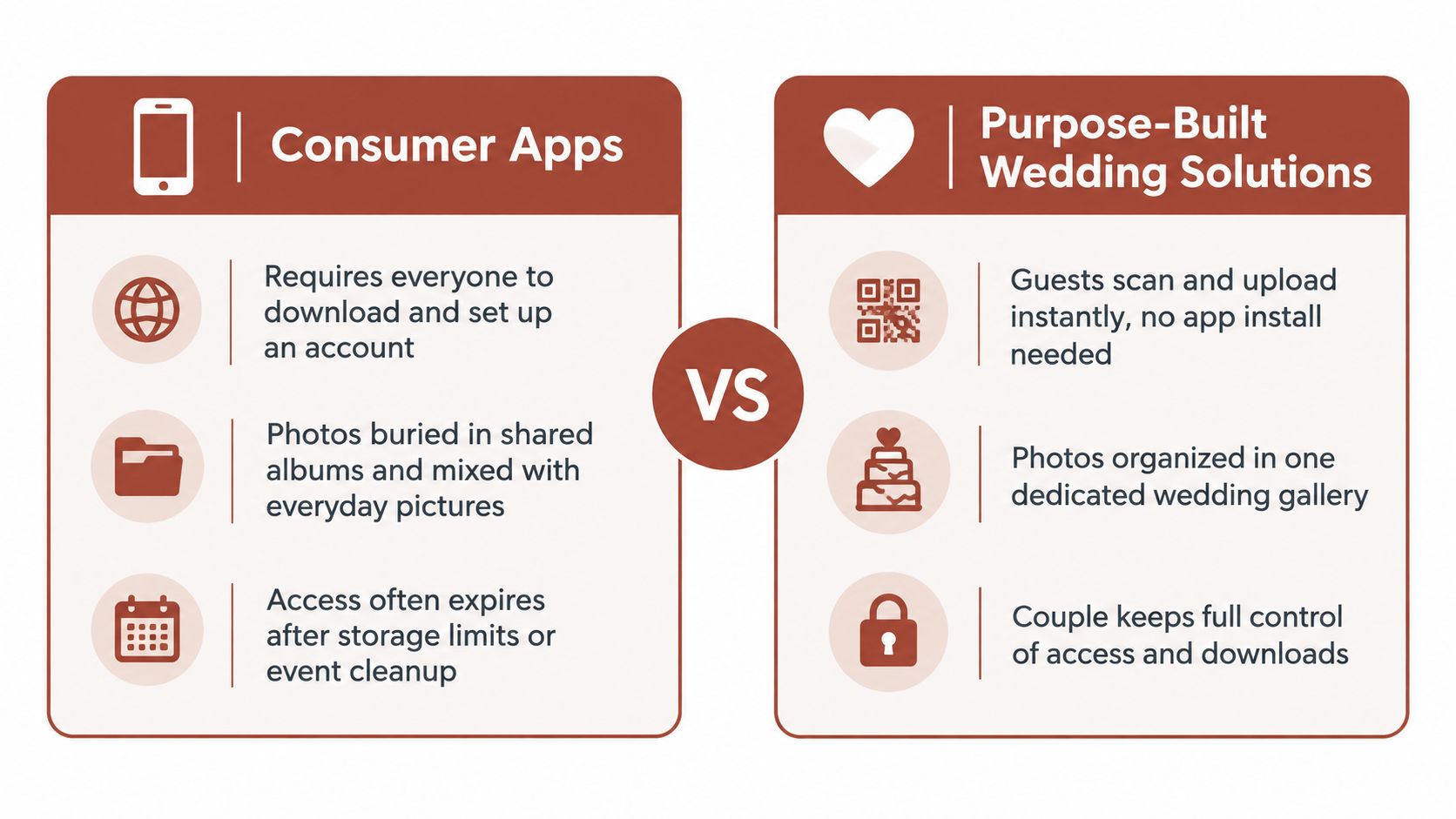
Where consumer apps help, and where they fall short
Google Photos works fine for people who already live inside that ecosystem. The catch is that wedding photo collection should not depend on guests joining a broader consumer setup first. If you are comparing Google Photos with a purpose-built gallery, the breakdown at Google Photos vs The Wedding Pics spells out the trade-offs clearly.
Apple Shared Albums is comfortable for Apple-heavy households, and that is its main strength. Mixed-device weddings are the test, and that is where the experience gets uneven fast. A solution that works beautifully for one phone family and awkwardly for everyone else is the wrong fit for a wedding.
Group chats are the quickest way to share photos, so guests use them without thinking. They are also the easiest way to lose the photos later. Once the reception thread fills up with jokes, updates, and random messages, finding the first dance shot becomes a chore.
Why purpose-built wedding tools are different
Purpose-built wedding solutions are built around one event and one gallery. Guests scan a code, upload from the browser, and the couple keeps everything organized from the start. That matches the actual job, collect wedding photos cleanly, not just let people send them somewhere.
Control is the other difference that matters. A wedding-specific gallery lets you manage visibility, choose what guests see, and keep the best files in one place instead of scattered across private chats. You spend less time chasing photos and less time wondering whether the files you care about are still easy to find.
A QR-based private gallery is the practical middle ground. The Wedding Pics, for example, is a web-based option that collects guest photos, videos, and messages into one private album via QR code, with moderation and original-quality downloads built in. That kind of structure fits weddings far better than a generic app.
My blunt recommendation
Use a consumer app only if your guest list is small, everyone is on the same platform, and nobody needs hand-holding. Use a purpose-built wedding solution when order, privacy, and clean post-event access matter. For weddings, one dedicated gallery beats three familiar apps that leave you sorting leftovers.
Why QR Code Web Solutions Often Beat Apps for Weddings
The fastest wedding photo system is the one guests barely notice. QR-based web access does that job better than a traditional app because it removes the two most common blockers, app downloads and account creation. If a guest can scan a code and start uploading immediately, you've already won half the battle.
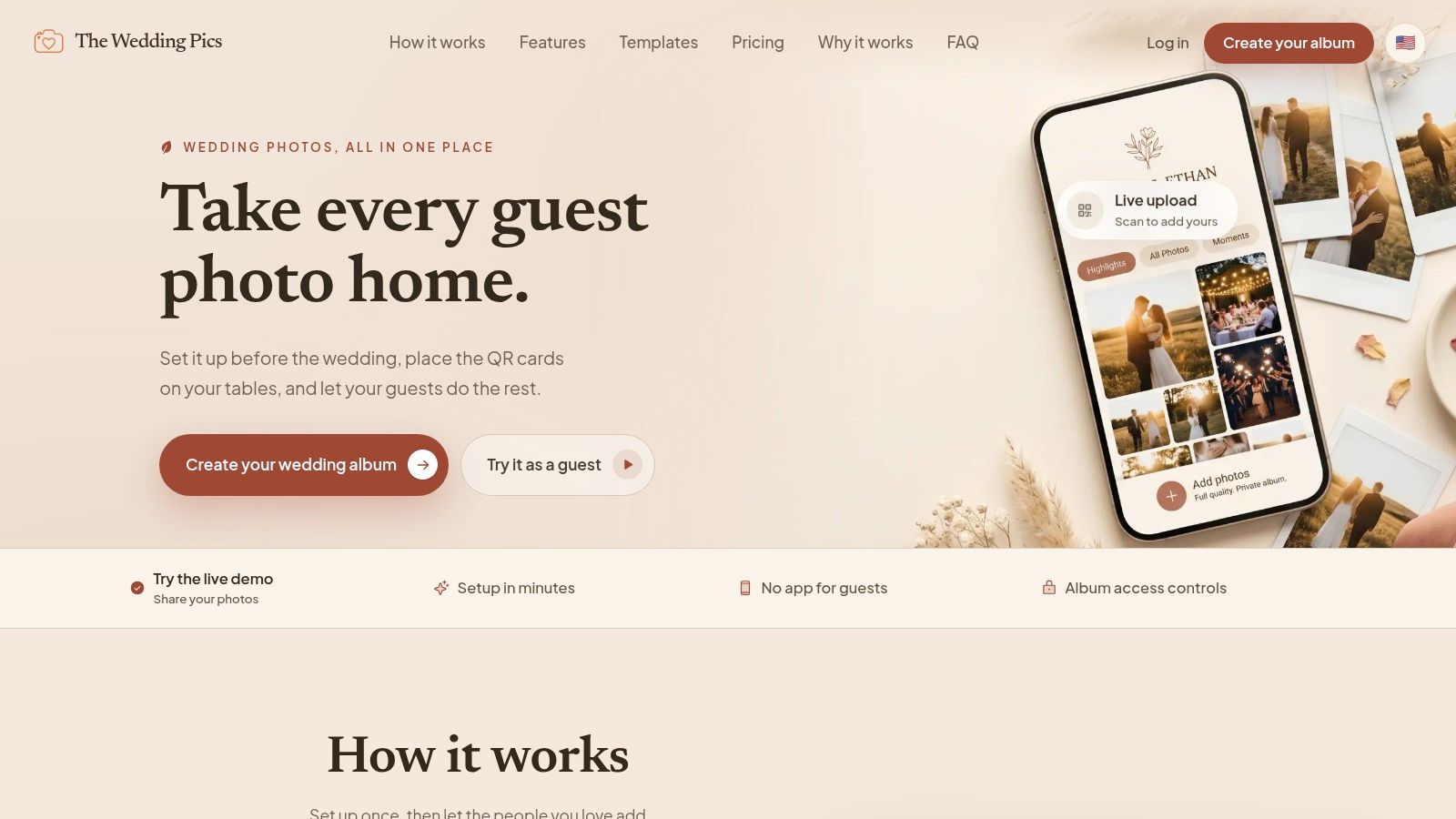
The browser flow is especially strong for weddings because the room is full of people with different phones, different comfort levels, and different patience for setup. A QR code on the table, a sign near the bar, or a card at the guestbook station gives everyone the same path. No one has to remember a password, and no one gets left out because they never installed the right app.
The guest experience is the real product
Wedding tech should feel invisible. If the sharing method is doing its job, guests shouldn't need instructions, and your planner shouldn't need to troubleshoot. A browser-based upload page does that better than an app because it opens instantly and works from the phone camera everyone already uses.
That also makes it easier to place the sharing prompt where it belongs. You can print the code on table cards, include it on signage, or hand it to guests during the reception without asking them to do anything awkward. The fewer decisions they have to make, the more likely they are to contribute.
Control matters more than novelty
A QR-based wedding album also gives the couple better control over what happens after upload. You can review files before they appear in the shared gallery, keep the album private, and download the full set later without begging guests to re-send anything. That's a much cleaner model than relying on whatever photos survive inside a chat thread.
Guests are generous with photos, but they're not your archive team. Build the archive before the party starts.
The other advantage is consistency. A purpose-built web solution keeps ceremony photos, reception candids, and late-night chaos in one place, which is exactly what you want when the wedding is over and you're trying to assemble the memory of the day. If you're looking at wedding QR sharing specifically, the wedding QR code photo sharing guide is worth the read because it addresses the exact workflow couples struggle with most.
What I'd pick for a real wedding
For most weddings, I'd choose a QR-based private gallery over a consumer app. It's less glamorous on paper, but in practice it's easier for guests, cleaner for the couple, and much better at keeping the files in one place. The whole point is to make sharing automatic enough that nobody has to think about it twice.
Real Wedding Scenarios That Guide Your Choice
A destination wedding with guests flying in from different countries needs a different setup than a courthouse dinner with twelve people. The more varied your guest list, the less useful a single consumer app becomes. If the couple, the photographer, and the guests all move through different tech habits, a web-based shared gallery usually handles the mess better.
Large guest lists need one obvious path
When you've got a big wedding, the central problem is not whether guests can take photos, it's whether they can contribute without friction. A QR-based gallery works well here because it gives everyone the same access point, no matter how they arrived or what phone they use. That's especially useful when you don't want to spend the reception answering “where do I upload these?”
Consumer apps can still work for larger groups, but they're more likely to fragment. One cousin uses Google Photos, another uses Apple Shared Albums, and a third never contributes because they were never invited into the right account. For a large guest list, that fragmentation is exactly what you're trying to avoid.
Destination and multi-day weddings need a longer runway
A wedding weekend stretches the sharing window. Guests take photos before the ceremony, during the welcome dinner, and after the farewell brunch, so your system needs to stay open long enough to catch all of it. That's where a dedicated wedding gallery beats a chat thread every time.
If the event spans more than one day, I'd prioritize a tool that keeps the same gallery alive across the whole weekend. The separate moments of a destination celebration belong in one place, not split across arrivals, receptions, and after-parties. The less your guests have to relearn, the better your odds of getting everything.
Mixed tech comfort changes the recommendation
Some guest lists are easy. Everyone is on the same platform, everyone knows where to click, and nobody needs help. Most weddings aren't like that, so the recommendation has to serve the least comfortable users, not just the most tech-fluent ones.
That's why a browser-based solution often wins when parents, grandparents, and younger guests all share the same celebration. The system should work for the person who never downloads apps and the person who scans every QR code they see. If it handles both, you're in good shape.
My scenario-based take
- Small, Apple-only celebration: Apple Shared Albums can be fine if everyone is already in that ecosystem.
- Casual mixed-device gathering: Google Photos is workable, but only if you can tolerate some participation friction.
- Wedding with broad age range or mixed devices: A QR-based private gallery is the safer choice.
- Multi-day or destination wedding: Choose the option that keeps one gallery open for the whole event and doesn't rely on separate app installs.
The right answer isn't the trendiest one. It's the one that keeps your photos together without making your guests think about logistics.
Making Your Final Photo Sharing Decision
Start with your guest list, not your favorite app. If your crowd is mostly one device ecosystem, a consumer option may be enough. If your wedding includes a mix of ages, devices, and tech confidence, a QR-based private gallery is the more reliable answer.
Ask four questions before you choose
First, can everyone upload without creating an account? If the answer is no, expect some guests to opt out.
Second, do you care about preserving original-quality files? If you want photos you can print or archive later, don't settle for a setup that compresses them into something smaller than you need.
Third, do you want privacy and control, or are you comfortable with a broader consumer platform? Weddings often include sensitive personal photos, so the safer choice is usually the one that keeps the couple in control.
Fourth, how do you want the album to work after the wedding? If you'll need easy downloads, moderation, and one clean archive, pick a system built for that outcome, not just for sharing in the moment.
A simple decision rule
If you're still torn, use this rule. Pick the tool that requires the fewest guest actions and gives you the cleanest download later. That's the combination that protects your time, your guests' patience, and the quality of the final album.
Bottom line: the best wedding photo setup is the one that your least tech-savvy guest can use in seconds and your future self can actually organize.
Consumer apps are fine when convenience is the only goal. Weddings need more than that. They need one private place, one simple upload path, and one archive you can trust when the night is over.
If you want a cleaner way to collect wedding photos without chasing guests afterward, The Wedding Pics gives you a private QR-based gallery for photos, videos, and guest messages. It's built for couples who want one place to collect everything and keep control of the final files. Visit it now and see how it fits your wedding day workflow.
- photo sharing
- wedding photography
- photo apps
- QR code
- event photos