Digital Wedding Guest Book: The Ultimate QR Guide
Discover how a digital wedding guest book captures every candid moment. Learn QR setup, privacy tips, and strategies to maximize guest participation.
From first scan to shared album
See digital wedding guest book: the ultimate qr guide from the guest’s side.
Discover how a digital wedding guest book captures every candid moment. Learn QR setup, privacy tips, and strategies to maximize guest participation.










Your wedding is over, the photographer's gallery has arrived, and the official images look beautiful. Then you remember the other photos, the ones your guests took during the champagne toast, the chaotic dance floor, the quiet hug between your parents, and the moment nobody thought to stage. They're scattered across WhatsApp threads, Instagram stories, private messages, and camera rolls that may never be opened again.
A digital wedding guest book gives those memories one private home. Guests scan a QR code, upload photos, videos, and messages through their phone browser, and send everything into a shared gallery you can review, display, download, and preserve. It isn't a novelty for couples who want another piece of wedding technology. It's a practical answer to the way people already document celebrations.
The broader guest book market was estimated at $1.2 billion in 2025, with digital guest books representing 38.1%, or approximately $457.2 million, of that market. The same market report projects digital guest books to reach 43.6% share by 2034, while weddings account for 34.5% of the overall guest book market. (Guest Book Market report)
The important question isn't whether your guests will take photos. They will. The question is whether you'll still be able to find the best ones after the wedding.
Table of Contents
- Why Your Wedding Photos Deserve More Than a Group Chat
- Comparing Paper Books, Messaging Apps, and Digital Albums
- How Browser-Based QR Uploads Actually Work
- Designing for Maximum Guest Participation
- Live Slideshows, Moderation, and Long-Term Archiving
- Choosing the Right Features for Your Wedding Size
- Your Complete Digital Guest Book Implementation Checklist
Why Your Wedding Photos Deserve More Than a Group Chat
The group chat usually starts well. Someone shares a close-up of the bouquet. Another guest posts a blurry but hilarious dance-floor video. A cousin sends a burst of photos from the ceremony, while a friend adds a short message beneath a selfie with the couple.
By the next morning, the memories are buried beneath logistics, thank-you messages, and unrelated conversation. Some guests post to Instagram instead, where photos disappear into stories or remain visible only to the people included in the audience settings. Others keep their best images on their phones because sending a large batch feels like work.
That fragmentation creates a problem the professional gallery can't solve. Your photographer captures the planned story of the day. Guests capture the unscripted version, including different angles, private reactions, and moments that happen outside the photographer's position. A group chat collects those files only when someone remembers to send them, chooses the right thread, and accepts the quality and privacy compromises that come with messaging.
A dedicated album changes the default behavior. Guests don't have to decide which chat to use or whom to message. They scan one code, open a private web page, and contribute directly to the couple's collection. A well-designed wedding photo album sharing workflow makes the album the obvious destination instead of leaving you to reconstruct the day from scattered conversations.
A memory vault, not another social feed
The strongest digital guest books combine three jobs:
- Collection: Guests upload photos, videos, and written messages from their phones.
- Curation: The couple, planner, or assigned moderator reviews contributions before public display.
- Preservation: The couple downloads original files and stores them with the professional gallery.
That structure matters because participation and preservation are different tasks. A guest may upload a five-second video for the live slideshow, while you later choose a full-resolution photo for a printed album. Keeping both in one controlled system gives you more options after the reception.
The browser matters just as much as the album. Asking every guest to install an app, create an account, verify an email address, and learn a new interface adds decisions at exactly the wrong moment. On a wedding day, guests are moving between rooms, talking to relatives, carrying drinks, and taking photos. The contribution path should feel like one natural action, not a separate project.
Planner's rule: If a guest needs instructions longer than “scan this code and upload your photos,” the system is asking too much.
You also shouldn't make the couple responsible for file collection during the event. Assign a trusted person to monitor moderation if you're using a live screen, but keep the album self-service for guests. Your job is to get married, not to chase relatives for camera-roll exports.
Comparing Paper Books, Messaging Apps, and Digital Albums
A paper guest book still earns its place at the reception. Handwritten notes create a tactile keepsake, and familiar handwriting beside advice, signatures, and small drawings can become one of the couple's favorite mementos. Paper records what guests choose to write, though. It cannot preserve the moments they photograph, film, or experience across the day.
Messaging apps remove the writing barrier, but they introduce hidden work. Guests must decide which chat to use, remember to send the files, and sometimes compress them for quick delivery. The couple then has to search through separate conversations, request originals, and sort duplicates. A browser-based upload sends media into one album instead, giving the couple a cleaner path to downloads, editing, and print projects. A technical summary of WhatsApp-style delivery notes that images can be reduced to roughly 1,600 pixels on the long edge and re-encoded as small JPEGs. That may suit casual sharing, but it is weaker for keepsakes. (Guestpix wedding photo sharing)
| Method | Media Quality | Guest Friction | Privacy Control | Post-Event Archiving | |---|---|---|---|---| | Paper book | Handwriting only, with no guest photos or videos | Low for guests who enjoy writing, but easy to overlook | Private in physical form | Often stored as a single physical book | | Messaging apps | Photos and videos may be resized or recompressed | Familiar, but guests must choose where and how to send files | Depends on each chat, thread, and social setting | Requires collecting files from multiple platforms | | Social media hashtag | Variable quality and visibility | Easy for frequent social users, uncomfortable for private guests | Weak control once content is posted or shared | Dependent on platform access and individual posts | | Digital album | Direct browser uploads can preserve original-quality media | Scan, open, upload, and leave a message | Private link, PIN, invite, and moderation options may be available | Centralized gallery with bulk export and backup potential |
Paper is emotional, but incomplete
Choose the physical book when written sentiment is your priority. Place it beside a pen, a clear sign, and a table that gives guests room to pause. That setup creates a deliberate ritual and a physical object you can keep, but it will miss the view from the back row, children dancing during dinner, and the candid photo taken while you laugh with your grandparents.
Paper and digital can work together because they serve different purposes. Keep the book for handwriting. Use a digital album for the visual record.
Group chats create work for the couple
The labor usually appears after the wedding. Someone must identify which conversation contains each file, ask guests to resend originals, download media before links expire, and remove duplicate images. Every additional group chat creates another place for a memory to get buried. Guests may also assume that an image sent through a messaging app is the same file they captured, even when it has been resized or recompressed.
A browser-based QR workflow gives guests one destination without forcing them into a new app or group conversation. That matters at a mixed-age wedding, where some guests share photos constantly and others avoid unfamiliar technology. Guests contribute through a browser, while the couple receives one organized collection with access controls and export options.
A purpose-built album is the practical choice for centralization, quality, privacy, and easy retrieval. Use this guide to choosing a wedding photo sharing website to compare the features that support those priorities. For dependable coverage from guests of different ages, choose the browser-based album and display its QR code where people will see it.
How Browser-Based QR Uploads Actually Work
Older relatives don't need a special wedding app. Guests who rarely use new technology don't need an account. A browser-based QR workflow uses the camera and web browser already built into almost every modern smartphone.
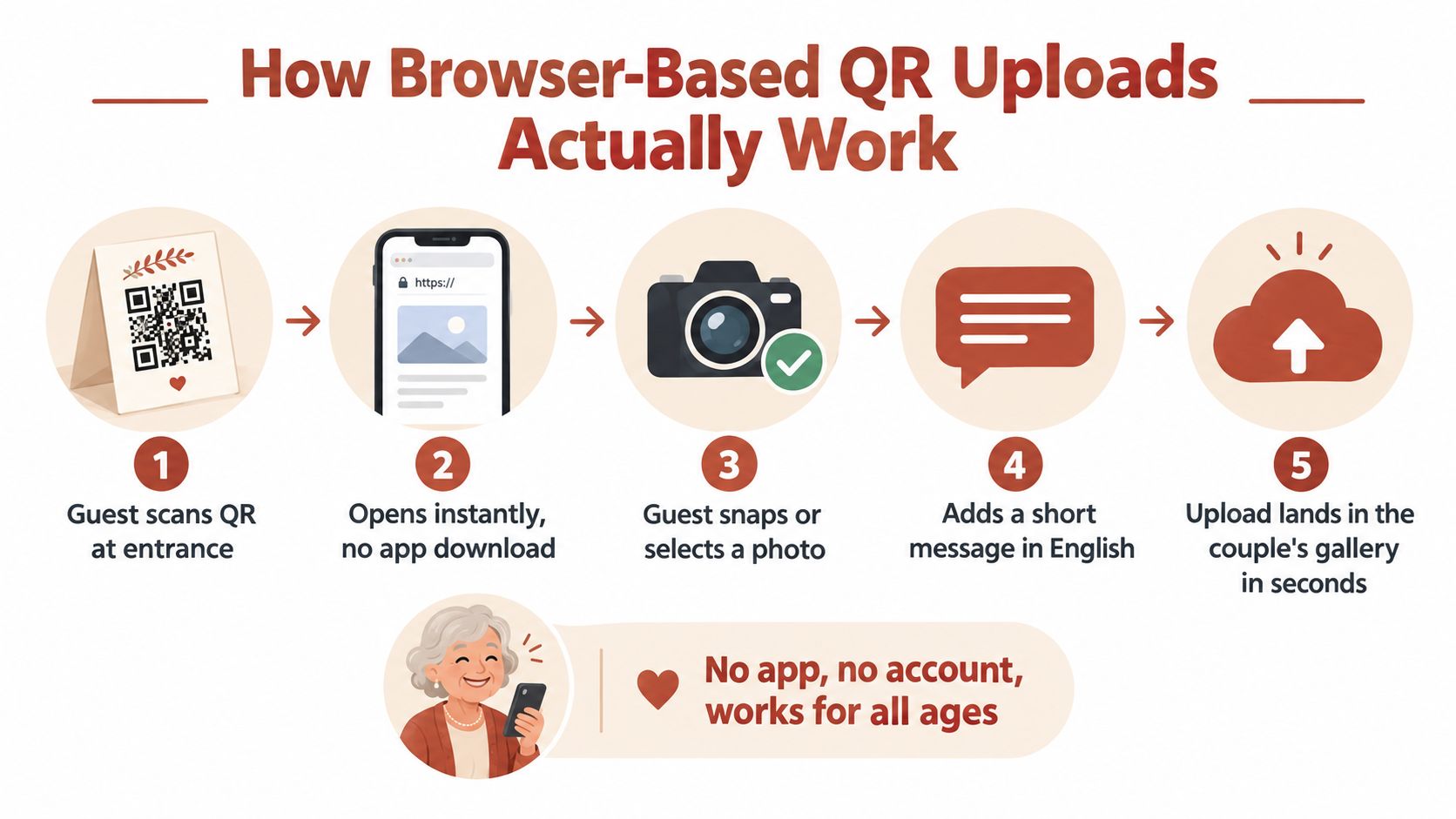
The guest experience in five simple actions
- The guest scans the code. Place the QR code on a table card, welcome sign, menu, ceremony program, or favor. The guest opens the native camera app and points it at the code.
- The gallery opens in a browser. A tap takes the guest to a mobile page. There's no app store, installation, account creation, or password routine standing between interest and contribution.
- The guest selects or captures media. They can upload photos and videos already on the phone or take a new image while the memory is still fresh.
- The guest adds context. A short written message turns an anonymous image into a memory with names, advice, humor, or a description of what happened.
- The file reaches the couple's gallery. Depending on the platform, a moderator can approve the upload for a slideshow while keeping pending contributions private.
This flow works across iOS and Android because it relies on common browser behavior rather than a platform-specific app. It also supports remote participation, so someone who can't attend can still contribute through the shared link.
Why the storage path affects quality
A messaging app acts as an intermediary. It may resize, recompress, or re-encode a photo before the recipient receives it. A browser upload sends the selected file directly from the guest's device into the album's storage layer, which helps preserve source pixels, EXIF information, and the tonal detail needed for later editing.
That distinction matters if you want to create a printed album, make a large-format image, or give your family an archival download. Original-quality files also give you more freedom to crop an image later without starting from a reduced copy.
The best QR code wedding guest book setup keeps the public action simple while giving the couple private control behind the scenes. Guests should see a welcoming upload page. You should see moderation, gallery organization, download, and access settings.
Remove every unnecessary decision
Don't ask guests to register before they can contribute. Don't hide the QR code behind a long URL. Don't make them choose between several galleries unless the signage clearly explains the difference.
If you want separate collections for the rehearsal dinner, ceremony, reception, and brunch, use visible labels and one clear instruction. The technology should manage organization for you. It shouldn't transfer the organization burden to your guests.
Designing for Maximum Guest Participation
A QR code doesn't create participation by itself. Visibility, timing, and wording determine whether guests notice the invitation and understand what you want from them.
The common mistake is printing one QR code on the entrance sign and assuming everyone will remember it later. Guests walk past the sign while greeting family, finding their seats, and looking for the bar. Put the code where guests naturally pause, then repeat it where they spend time.
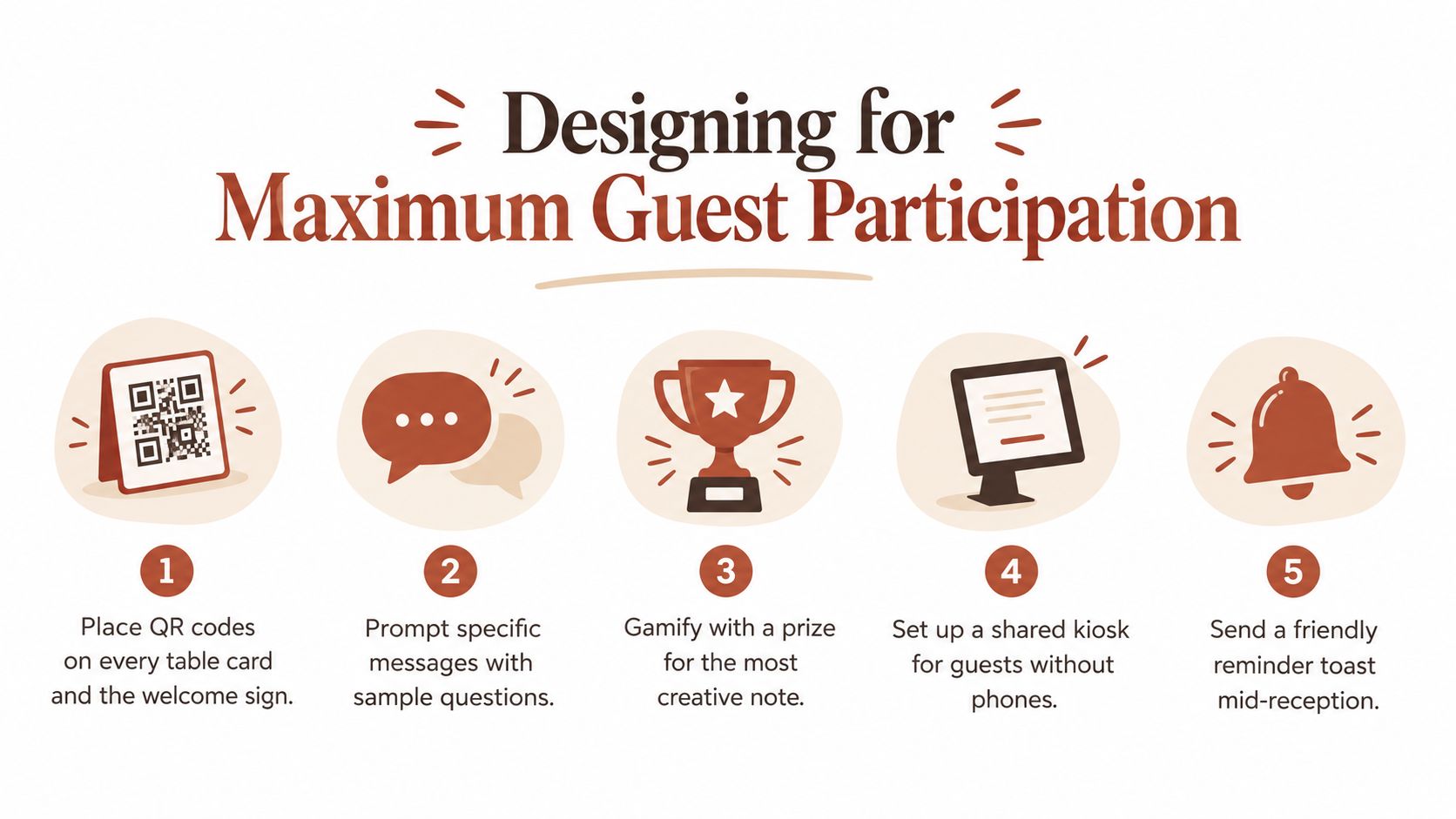
Place the invitation in the flow of the day
Use table cards for the strongest baseline coverage. Every table should have a visible card with a generous QR code, a short instruction, and a prompt such as, “Share the moment we'll wish we had seen.”
Add the code to the welcome sign, but treat that as reinforcement rather than the main placement. Destination weddings and multi-room venues need extra thought. Put a sign near the ceremony exit, another near the reception entrance, and table-level cards in each dining or lounge area. A guest shouldn't have to leave their seat and search the venue to participate.
A short verbal prompt works better than a vague announcement. Ask the MC or DJ to invite guests to upload one favorite photo during dinner, then repeat the reminder before dancing begins. Specific requests reduce the pressure to create a perfect message.
Give guests an easy prompt
Mixed-age groups respond well when the contribution has a clear emotional starting point. Rotate prompts across the stationery or display:
- For a memory: “What's your favorite story about either of us?”
- For advice: “What should we remember when married life gets busy?”
- For a photo: “Upload the photo that best captures this table.”
- For a message: “Leave a note we can read on our first anniversary.”
- For a video: “Send a short wish for our future.”
A prize can add energy, but it shouldn't be the only reason to contribute. A small, clearly explained reward for a creative note or unexpected photo can prompt action, while the emotional value of being included carries the rest.
Participation principle: Make the invitation visible, make the request specific, and make the upload possible without leaving the conversation.
Plan for guests without a suitable phone
A browser-first system is more inclusive than an app requirement, but no single method covers every guest. Ask the venue or coordinator to provide a shared tablet or simple upload station for people who forgot their phone, have limited data, or would rather participate with help.
Brief the wedding party before the event. One bridesmaid, groomsman, or coordinator can point guests toward the cards without becoming a full-time technology desk. Keep the station away from the entrance bottleneck and the loudest speakers.
The available evidence supports table-level placement as a meaningful design choice. Existing coverage reports participation of 30% to 50% for paper books and 60% to 80% or more for digital setups when table-level QR placement is used, as reported in this guide to digital wedding guest book participation. Treat those figures as directional rather than a promise. The practical lesson is firm: a digital guest book only outperforms paper when guests can see it and act immediately.
Live Slideshows, Moderation, and Long-Term Archiving
A digital guest book can add atmosphere during the reception, but the live display should never outrank privacy or quality control. New uploads can enter a moderation queue, allowing an assigned person to approve suitable photos before they appear on the venue screen.
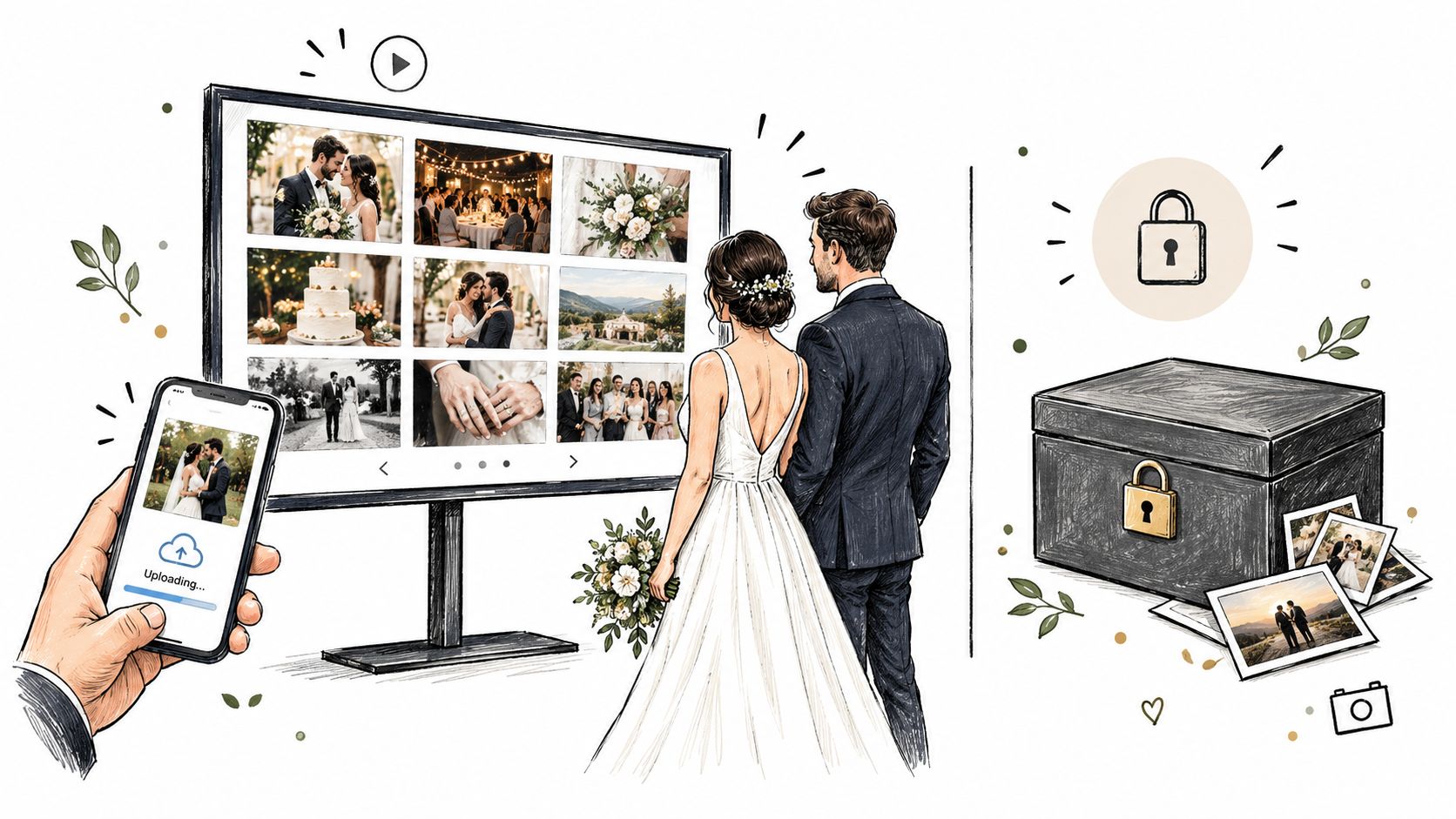
Treat moderation as part of the entertainment plan
Choose the moderator before the wedding. It shouldn't be the couple, and it shouldn't be someone who needs to stay on the dance floor all night. Give the role to a planner, trusted friend, or venue staff member who can check the gallery from a phone or tablet.
Set expectations with the AV team. Confirm which screen or projector will display the slideshow, how the device will connect, whether the venue's network can support uploads and rendering, and what happens if the connection drops. Test the display with real image files before guests arrive.
A live slideshow works best when it feels like a moving collection of guest perspectives, not an uncontrolled feed. Use the wedding slideshow software guide to think through display timing, moderation, venue logistics, and how the gallery will look from across the room.
Export before the access window becomes a deadline
The reception is only the beginning. After the wedding, download the complete gallery while the upload and storage period is active. Choose a bulk export when available, then create at least two backups in separate locations, such as an external drive and a reputable cloud storage account.
Keep the original download untouched. Make a second working copy for edits, duplicates, crops, and print layouts. Preserve the guest messages alongside the media instead of separating them permanently, because the message may explain why a particular image matters.
Research-style wedding content reports that 94% of couples share wedding photos digitally and 88% keep the full gallery on a phone or computer, according to a 2026 data summary in this comparison of print and digital wedding photos. The same source notes that fewer than half of couples look at their paper guest book two years later. Those findings point to a better design question: don't choose between a live activity and a keepsake. Build a digital guest book that serves both, then turn the exported files into a physical album if you want the tactile experience.
Choosing the Right Features for Your Wedding Size
Start with the memories you want, not the plan name. A small wedding may need one private gallery for photos and written messages. A multi-day celebration may need separate collections, more storage, longer contribution access, and a moderator who can manage uploads across several events.
For an intimate wedding
Prioritize the essentials:
- A fast browser upload: Guests should scan a QR code and contribute without an app or account.
- Written messages: Include a place for advice, stories, and congratulations beside the visual media.
- Private viewing: Decide whether guests can see the gallery or whether only the couple can download files.
- Original-quality export: Don't accept a system that leaves you with only compressed previews.
- A clear storage deadline: Put the export date on your planning calendar.
You probably don't need elaborate sub-albums or a live screen if your venue is small and the reception is conversational. A single QR card on each table, a short MC prompt, and one trusted person who knows where the gallery is may be enough.
For a large or multi-day wedding
Separate the event by context. Create collections for the welcome dinner, ceremony, reception, after-party, and brunch so guests can upload into the right place without sorting hundreds of files later.
Prioritize:
- Higher storage capacity: Videos can consume space quickly, especially when multiple guests upload from the same event.
- Longer upload windows: Remote guests and destination attendees may contribute after they return home.
- Sub-albums or separate galleries: These make the archive easier to browse and turn into themed albums.
- Custom guest access: A memorable URL or event-specific link helps guests recognize the correct destination.
- Moderation tools: Essential when a live slideshow is visible to a large audience.
- A dedicated coordinator: One person should own the gallery, signage, reminders, and export.
A multi-day wedding also benefits from one consistent visual system. Use the same wording and design across table cards, welcome signs, programs, and digital reminders. Guests should recognize the upload invitation immediately, even when the venue changes.
Read the fine print before choosing
Storage capacity, upload windows, and hosting periods aren't interchangeable. Ask how long guests can contribute, how long you can view the gallery, whether original files are available, and whether a bulk ZIP export includes videos and written messages.
Also check the contribution formats. Some platforms collect photos and videos but not audio. Others focus on voice recordings and don't accept visual media. If written wishes are important, confirm that the feature is included in the exact plan you're considering.
The Wedding Pics offers a private QR-accessed album with browser uploads, written guestbook messages, moderation, live slideshow options, original-quality downloads, and tiered storage and upload windows. It's one option to evaluate alongside platforms that specialize in audio, written wishes, wedding websites, or live photo walls.
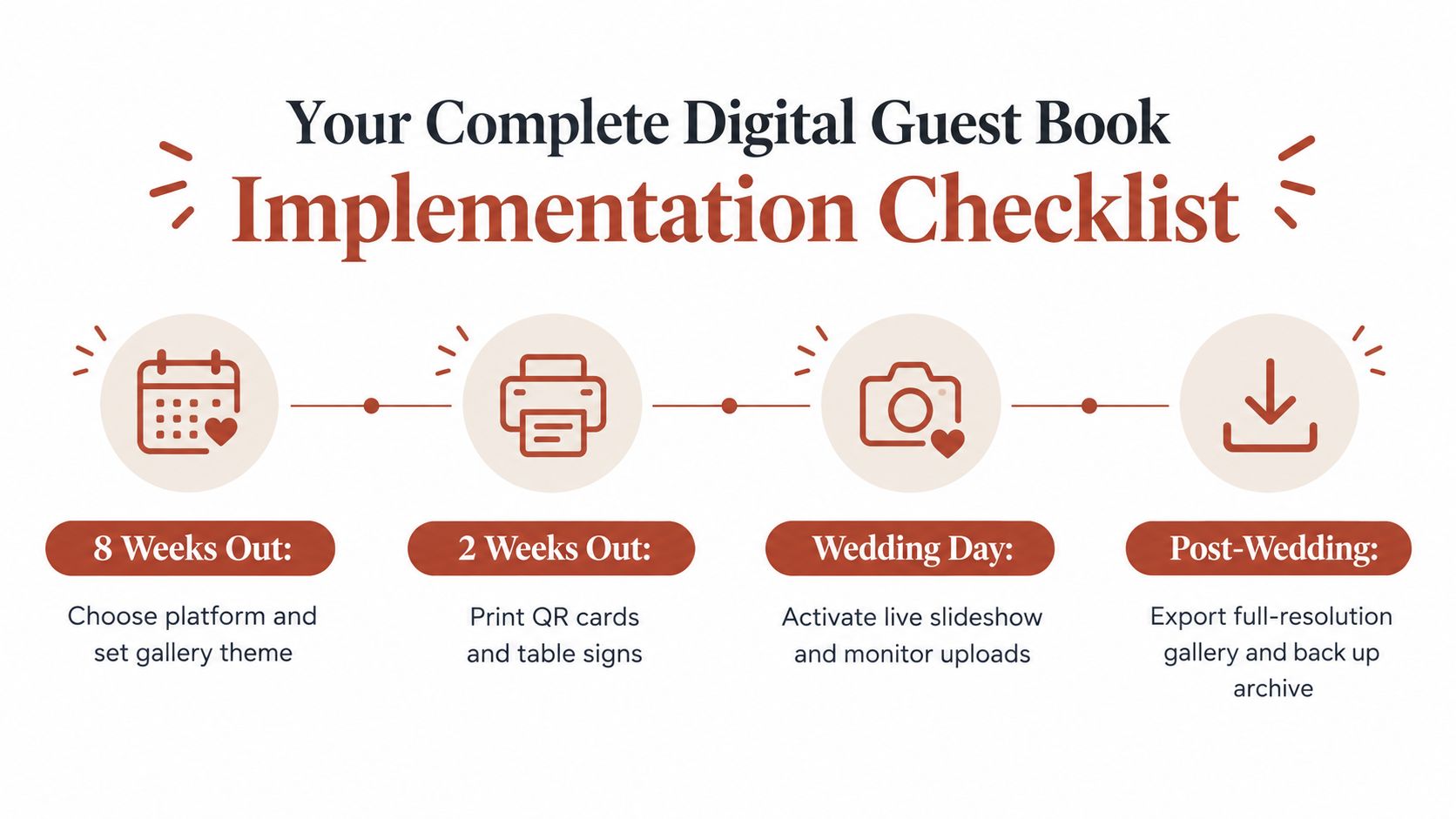
Your Complete Digital Guest Book Implementation Checklist
A smooth guest book depends on preparation that guests never see. Put one person in charge, test the complete journey, and schedule the export before the wedding is over.
Three months before
- Choose the contribution formats: Decide whether you want photos, videos, written messages, voice notes, or a combination.
- Select the platform: Check privacy settings, moderation, storage, upload duration, export format, and any device requirements.
- Create the gallery structure: Add event names or sub-albums for rehearsal activities, the ceremony, reception, and post-wedding gatherings.
- Write the prompts: Prepare short questions that encourage personal messages instead of generic congratulations.
One month before
- Test every QR code: Scan printed and digital versions with several phones. Confirm that the page opens quickly and the upload button works.
- Prepare the signage: Use a QR code large enough to scan easily, with plain-language instructions and one emotional prompt.
- Brief the wedding team: Tell the MC, DJ, planner, photographer, and wedding party how to direct guests to the album.
- Confirm the display plan: Give the venue AV team the slideshow link, screen requirements, moderation process, and backup plan.
The week of the wedding
- Print table cards: Place the code where guests can see it without moving decorations or lifting a centerpiece.
- Assign a moderator: Choose someone comfortable with approving uploads and identifying anything unsuitable for public display.
- Charge the shared device: If you're providing a tablet or kiosk, test its camera, browser, battery, and connection.
- Save access details securely: Keep the couple and coordinator links separate from the guest-facing QR code.
The day after
- Review the complete gallery: Check for missing contributions, duplicate uploads, and messages that need private handling.
- Export the originals: Download the full-resolution gallery, videos, and written messages before the upload or storage period ends.
- Create separate backups: Store one untouched archive offline and another in cloud storage.
- Curate the keepsake: Select images for a printed book, share a private family gallery, and preserve the original archive before editing copies.
The Wedding Pics gives couples a private QR-based album where guests can upload photos, videos, and written messages from a browser without an app or account, with moderation, slideshow display, and original-quality exports for archiving. Visit The Wedding Pics to set up a centralized guest collection that protects the candid memories your photographer can't capture.
- digital wedding guest book
- QR code wedding
- wedding photo sharing
- wedding guest book ideas
- wedding planning tech