Destination Wedding Photo Album: The Complete Planning Guide
Master the art of creating a stunning destination wedding photo album. Step-by-step guide for collecting, curating, and designing your perfect keepsake.
From first scan to shared album
See destination wedding photo album: the complete planning guide from the guest’s side.
Master the art of creating a stunning destination wedding photo album. Step-by-step guide for collecting, curating, and designing your perfect keepsake.










The wedding weekend is over. Your photographer has delivered a polished gallery, guests are still sending beach portraits through three different group chats, and someone has promised to email the welcome-dinner photos “when they get home.” Meanwhile, a phone full of ceremony clips is running out of storage, several images have been compressed by messaging apps, and the best candid moments may be sitting on devices you'll never see again.
That's the common ending to a destination wedding. The celebration feels expansive, but the memories become fragmented. A well-planned destination wedding photo album solves the problem by treating collection, review, storytelling, printing, and archiving as one connected workflow.
Table of Contents
- Why Destination Wedding Albums Need a Different Approach
- Setting Up Your Photo Collection System Before the Wedding
- The QR Code Method vs Traditional Photo Collection Approaches
- Curating Your Destination Wedding Story from Hundreds to Highlights
- Designing a Location-Driven Album That Captures Your Destination
- Choosing Print Quality and Archival Options for Long-Term Preservation
- Making Your Album a Lifelong Keepsake Worth the Extra Effort
Why Destination Wedding Albums Need a Different Approach
A standard wedding album can follow a fairly contained arc: preparation, ceremony, portraits, reception, and departure. A destination wedding rarely stays within those boundaries. The story might begin at the airport, continue through a welcome dinner, move to a beach or garden ceremony, and finish at an after-party in another venue.
That broader experience creates more sources, more file types, and more opportunities for photos to disappear. Guests use phones, cameras, and social platforms. Professional images arrive through a gallery. Friends share screenshots in chat threads. A relative may have the only photograph of a private conversation, while another guest has the clearest view of the dance floor.
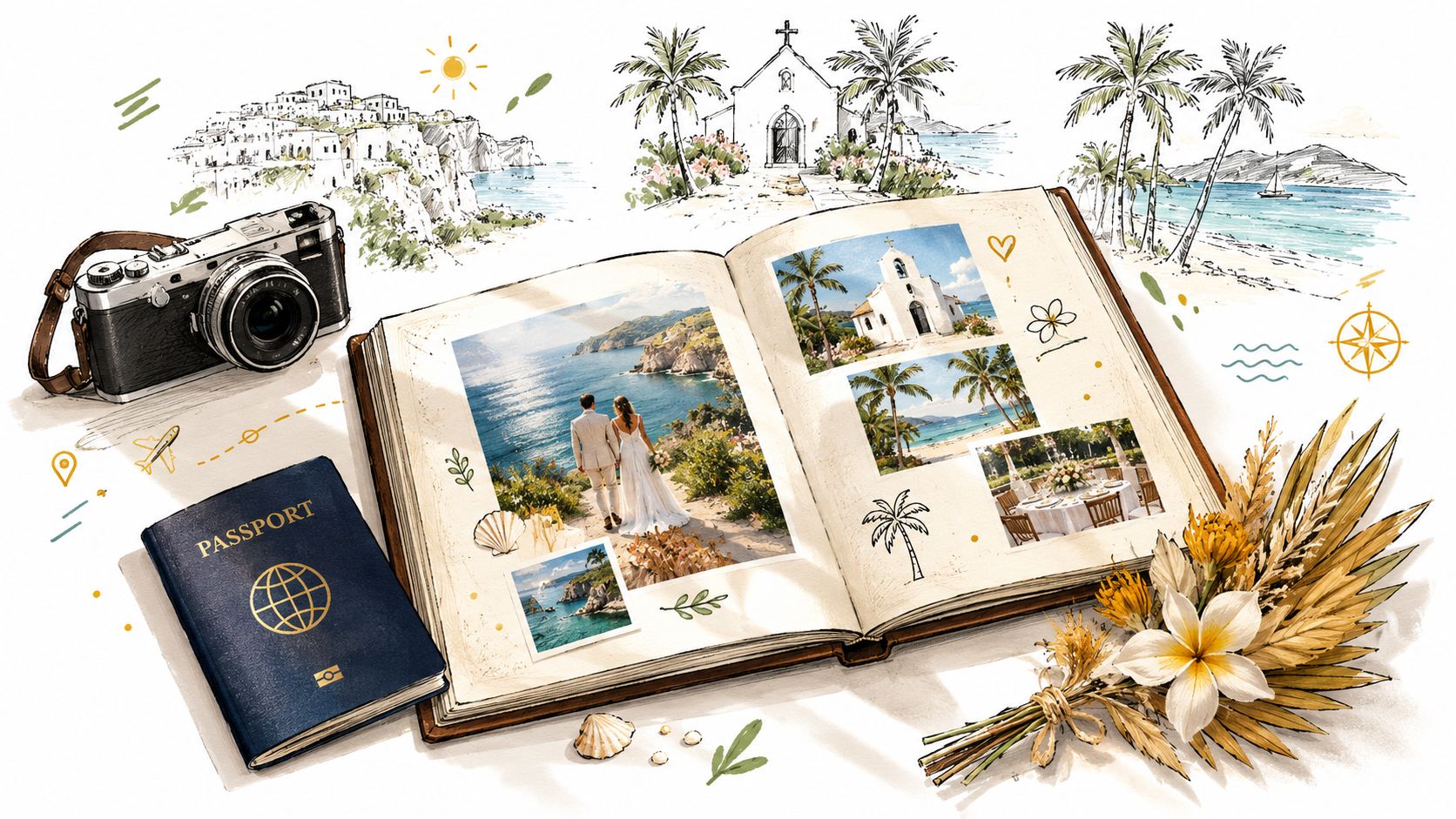
The scale is easy to underestimate. One destination-wedding industry report estimates 340,000 destination weddings take place each year, representing about 25% of all marriages. It also reports that guests stay for about 3.5 days on average, which explains why the album needs to document more than the ceremony itself. A guest may photograph the welcome drinks, a morning swim, a rehearsal dinner, a local excursion, and the reception, all from one trip.
The obstacles start before the album does
Remote venues introduce practical problems that don't appear in a single-location celebration. Wi-Fi may be weak or congested, uploads may fail, and guests may be spread across time zones after they leave. Photos sent through group chats can be compressed, buried under conversation, or separated across several apps.
The volume can also arrive in waves. One 2026 wedding-photo-sharing report found that 67% of wedding photos were uploaded within 24 hours, with an average of 312 guest-generated photos per wedding and about 6.7 photos per contributing guest. Those figures from Pix's wedding photography statistics point to a clear operational lesson: review and moderation should be ready immediately, not weeks later.
Practical rule: Build the collection system before guests arrive, then decide how the story will be organized before you start choosing individual images.
A destination album works when it captures the entire experience without becoming a disorganized photo dump. That requires one private collection point, clear guest instructions, a way to separate events or locations, and a deliberate curation process. The wedding photo-sharing workflow should support the story you want to preserve, not force you to reconstruct it from scattered files.
Setting Up Your Photo Collection System Before the Wedding
The strongest album workflows begin before the first suitcase is packed. Your collection system needs to work for guests with different phones, different levels of technical confidence, and inconsistent internet access. If contributing takes too many steps, people will postpone it, forget, or send only a few images through the channel they already use.
Create the simplest possible route
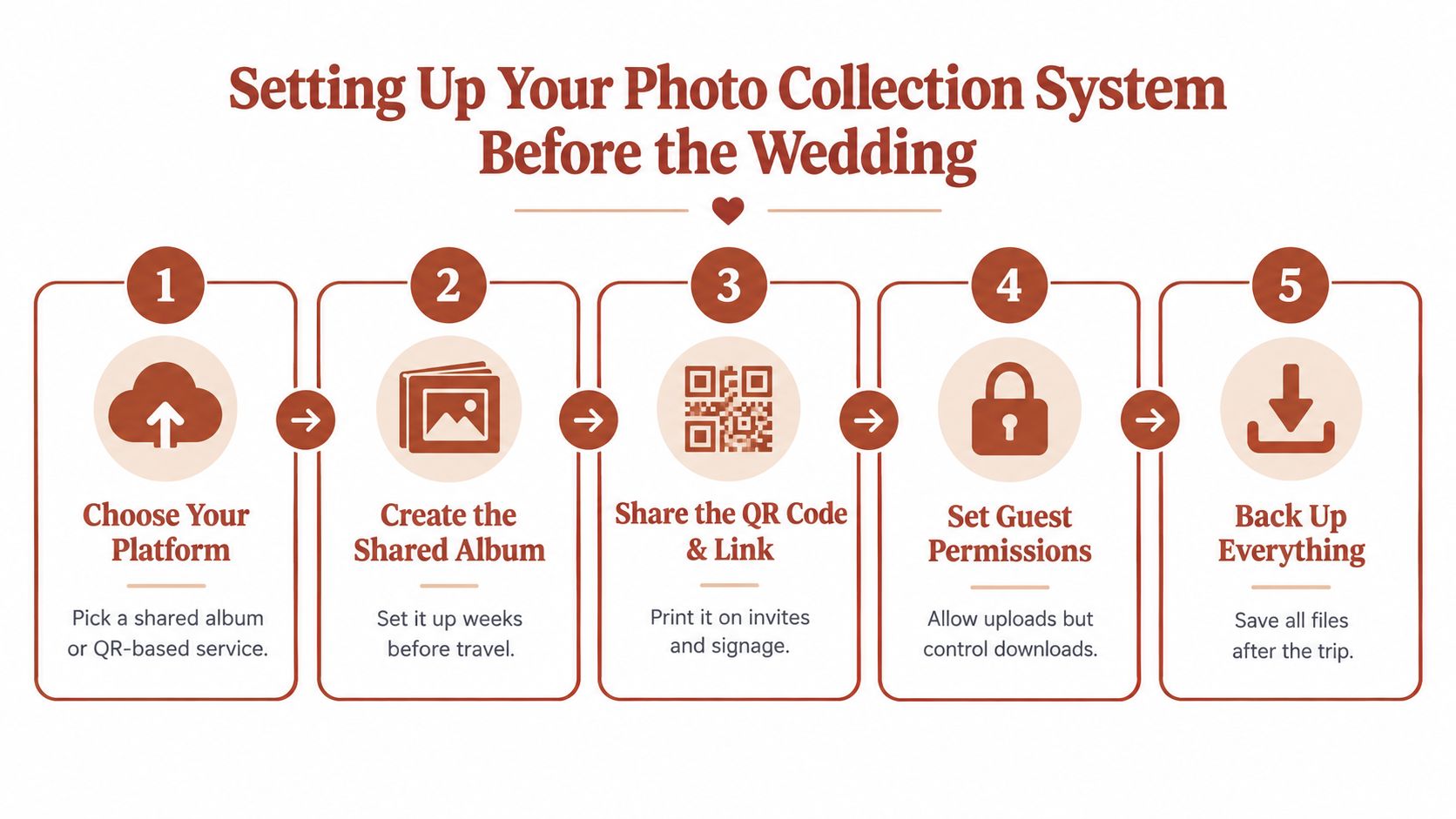
Start by choosing a browser-based shared album or QR-upload service. A guest should be able to scan a code, open a mobile page, select photos from the native camera roll, and submit them without installing an app or creating an account. That matters at a destination wedding because guests may be roaming, conserving battery, or reluctant to add another service during a busy weekend.
Create the album well before travel and test it from more than one device. Use both iPhone and Android phones if possible. Check the upload experience on mobile data, not only on your home Wi-Fi. Test a short video as well as several photographs, since guests often capture both.
Then prepare the guest-facing instructions:
- Choose one collection point: Don't ask guests to decide whether to use email, a group chat, a cloud folder, or social media. Give them one clear destination.
- Generate the QR code and link: Put the code on invitations, welcome materials, room information, table cards, and a sign near the reception or slideshow screen.
- Explain the timing: Tell guests they can upload during the weekend and after returning home. This reduces pressure when connectivity is poor.
- Name the events: If your platform supports sub-albums, create spaces for the welcome dinner, ceremony, reception, and after-party. Use locations when they improve navigation.
- Assign a reviewer: Decide who approves images for a live display and who handles the final download. This prevents both partners from reviewing the same files separately.
Design for weak connectivity
Don't rely on one upload moment. Give guests repeated opportunities, including before the ceremony, during quieter parts of the reception, and after the trip. A printed QR card remains useful when someone doesn't have the original link saved.
A short guide to photo sharing for wedding guests can help you shape instructions that are clear without sounding like technical documentation. Keep the wording warm and direct. “Scan, choose your favorite moments, and add them to our private album” is more usable than a paragraph about file management.
Finally, decide who will back up the collection. The couple should download the complete original-quality archive after the upload window closes, then keep a second copy somewhere separate from the primary device.
The QR Code Method vs Traditional Photo Collection Approaches
At a destination wedding, guests may photograph the welcome dinner in one town, the ceremony at another venue, and the after-party hours later. If every image enters a different chat or inbox, the final album starts with a fragmented archive. The collection method needs to handle several events, locations, time zones, and uneven connectivity from the start.
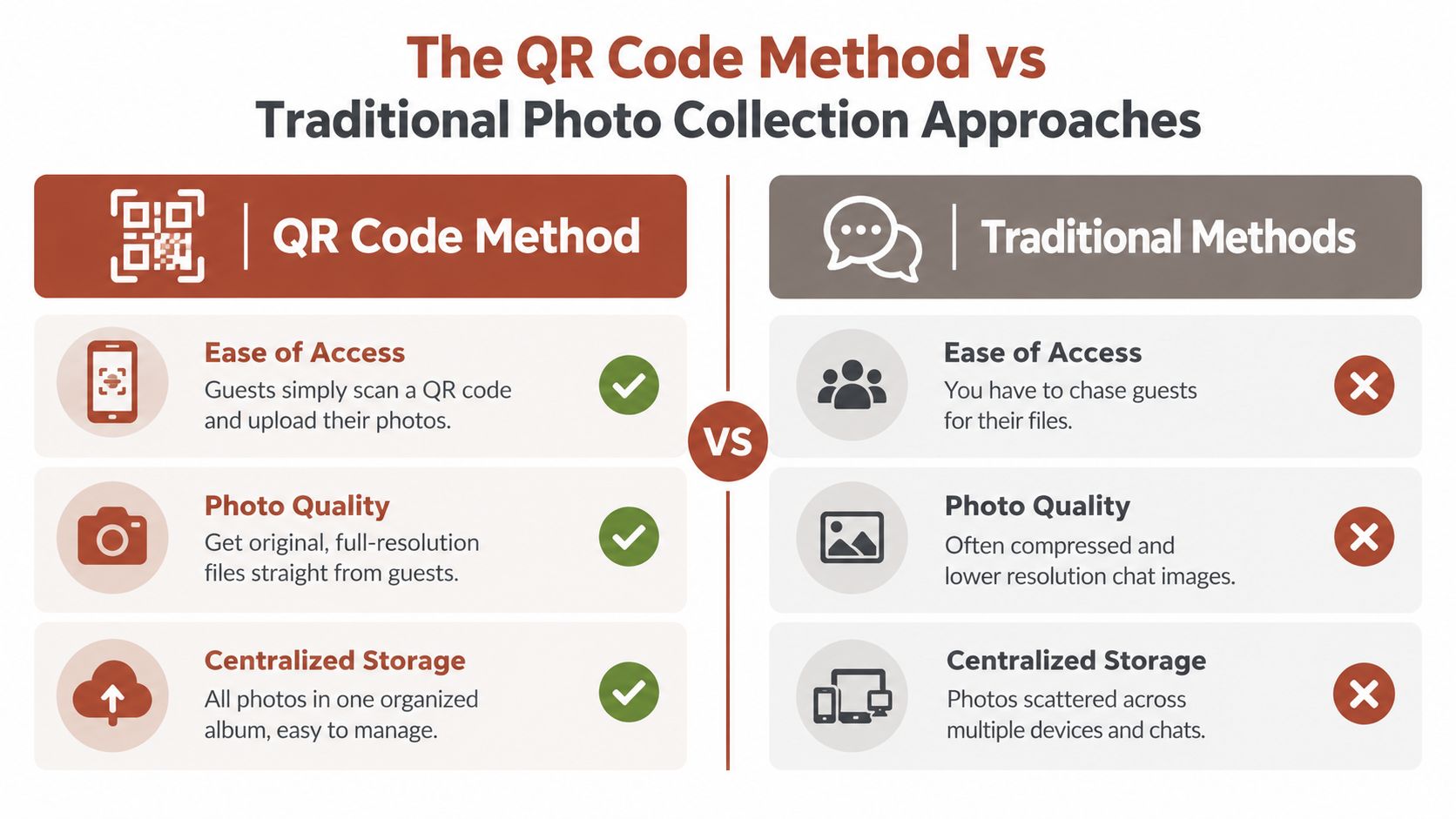
Group chats are familiar and quick, but they often scatter files across conversations. Images may be compressed, videos become difficult to locate, and no one can easily confirm whether the welcome dinner or ceremony has been fully covered. Email keeps a direct exchange, yet guests must find the address, attach files, wait for uploads, and repeat the process for each batch. USB drives preserve original files, but physical handoffs usually happen after the trip, when the shared experience has already ended.
Compare the practical trade-offs
| Collection approach | What works | Where it breaks | |---|---|---| | Group chat | Familiar and immediate | Files scatter across threads, quality can be compressed, and important images are hard to find | | Email | Useful for a small number of selected files | Requires repeated manual sending and creates no shared visual experience | | USB drive | Can hold original files | Depends on physical transfer and usually happens after the event | | Social media | Easy for guests who already post publicly | Privacy, ownership, download, and quality can become difficult to control | | QR-based private album | One scan leads to a central upload page, with review and access controls | Guests still need a workable connection at the moment of upload |
A QR code does not fix a weak signal. It gives guests one known destination when the connection returns, whether they are uploading from the reception venue or from home after the flight back. The same link also reduces the chance that photos from different time zones remain buried in old messages. A platform such as The Wedding Pics uses browser-based QR uploads, private album controls, moderation, original-quality downloads, and export options to keep capture and collection in one workflow.
Protect access while keeping participation easy
Separate upload permission from viewing and download permission. Guests can contribute without automatically seeing every file. Depending on the event, the couple may choose an unlisted link, a PIN, invite-only viewing, or couple-only downloads.
Moderation becomes especially useful when a live slideshow is running. Keep new uploads pending until a designated person reviews them, then approve suitable images for display. This preserves guest participation while reducing the risk of an unsuitable or duplicate photo appearing on the venue screen.
The QR-code approach to wedding photo collection is not a substitute for backups. It provides a practical front door to the archive, while the couple still downloads the complete original-quality collection after the upload period. Traditional methods remain useful for selected professional deliveries or special family contributions, but a central private album gives a multi-day destination wedding one place to gather them.
Curating Your Destination Wedding Story from Hundreds to Highlights
Collection gives you material. Curation gives it meaning. The mistake I see most often is choosing images one by one based on whether each photograph looks attractive. A strong album needs a wider question: what should a person feel as they move through the trip?
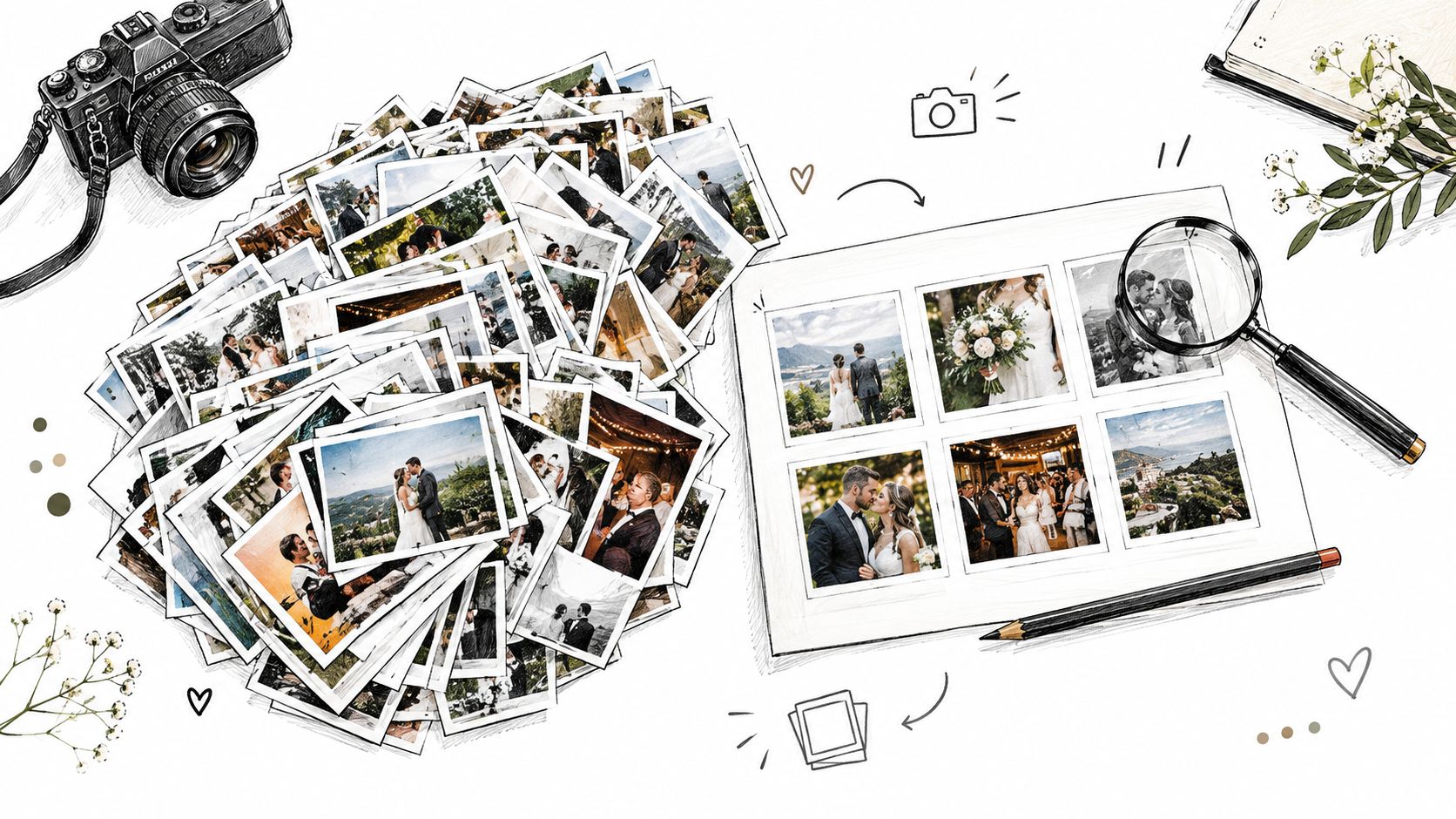
Start with a complete intake. Bring together the professional gallery, guest uploads, phone videos, scanned notes, and any images from welcome or pre-wedding events. Don't edit heavily at this stage. First identify what you have, then remove obvious duplicates, accidental screenshots, blurred frames, and files with serious technical problems.
Build the narrative in passes
Use a broad-to-narrow process rather than trying to design final pages immediately.
- Make an event map. Group files by arrival, welcome gathering, rehearsal or cultural events, ceremony, portraits, reception, after-party, and departure. Add location labels when the group moved between beaches, gardens, streets, or hotels.
- Mark the anchors. Select the images that explain what happened: the venue, the people who travelled, the ceremony, the speeches, and the moments that changed the mood of the day.
- Add connective tissue. Choose details that make the album breathe, such as luggage, stationery, local food, flowers, weather, architecture, hands, and guests meeting for the first time.
- Balance perspectives. Professional photographs usually provide consistency and composition. Guest images often supply immediacy, unusual angles, and private reactions. Use both, but don't let a repeated pose crowd out a meaningful candid frame.
- Create a shortlist for design. The final selection should be small enough to sequence deliberately. If several pictures communicate the same moment, choose the one with the strongest expression, context, or visual movement.
The top quarter of weddings in a separate 2026 analysis exceeded 180 guest uploads, while the top 10% exceeded 350, although the median was 52 uploads per wedding. The Eventsnap wedding photo analysis shows why average volume is a poor planning guide. Your system and your review process must cope with a sudden burst from an especially active guest group.
Let the story control the selection
A destination wedding album should feel like a journey, not a folder. Open with orientation, move through anticipation, let the ceremony hold the emotional center, and close with release, celebration, or departure. You don't need to include every event equally. A short welcome gathering may need only a few images if those photographs establish relationships and place.
Keep guest captions, voice notes, or written messages with the files they illuminate. A short line from a speech can give a quiet portrait more weight, while a handwritten guestbook message can close the album better than another dance-floor image. The final test is simple: remove the images that repeat information and protect the images that add perspective.
Designing a Location-Driven Album That Captures Your Destination
The destination shouldn't sit behind the couple like a decorative background. It should function as one of the story's characters. A coastal wedding, a vineyard celebration, and a city ceremony all create different rhythms, color relationships, and transitions, so the album design should reflect the place rather than apply the same template to every event.
Begin with orientation. Use the arrival, scenic surroundings, venue exterior, or a local detail to establish where the story takes place. Then let the album move inward toward people and emotion. This approach follows guidance from wedding album ideas focused on location and editorial storytelling, which emphasizes travel details, scenery, panoramic layouts, mixed media, and excerpts from vows or speeches.
Give each setting a visual role
A wide view can open a section or create a pause before a dense sequence of portraits. A vertical image may suit a narrow architectural detail, a full-length portrait, or a page turn that introduces the ceremony. Avoid filling every page with the same crop. Variation helps the reader sense movement between places.
Think in transitions:
- Travel to arrival: Passports, roads, boats, airport moments, or hotel details can establish the beginning without overwhelming the page.
- Arrival to gathering: Use venue architecture and an environmental portrait to show guests entering the shared experience.
- Setting to ceremony: Let scenery, light, floral design, or local materials connect the place to the vows.
- Ceremony to celebration: Shift from spacious compositions to closer, more energetic photographs as the reception builds.
- Celebration to farewell: Finish with a quiet portrait, an empty venue, a final scene, or a message from guests.
Color should support the location, not compete with it. Pull subtle tones from stone, sea, foliage, textiles, or evening light, then keep backgrounds restrained so photographs retain their authority. Text works best when it adds context, such as a short vow excerpt, a speech line, a place name, or the date of a meaningful gathering.
The strongest layouts are selective. A panoramic spread can honor the scenery, but it needs surrounding pages with human scale. Mixed-media pages can combine a guest message with a candid photograph, yet too many decorative elements turn the album into a scrapbook without hierarchy. Treat every design choice as part of the route through the weekend.
Choosing Print Quality and Archival Options for Long-Term Preservation
A beautiful digital gallery isn't the same thing as a durable keepsake. Print decisions should follow the way you expect to use the album, whether that means frequent family viewing, careful coffee-table display, or storage alongside letters and travel documents.
Choose the paper and binding together. Lay-flat binding suits wide panoramas and two-page group photographs because the center fold interrupts the image less. A more traditional binding can feel substantial and work well for a chronological story with regular page turns. Matte paper reduces glare and often suits documentary images, while a luster or semi-gloss surface can give photographs more visual depth. Ask the printer for sample pages before committing, especially if your album includes dark reception images or delicate skin tones.
Prepare files before sending them to print
Don't export a single generic folder and hope the printer handles everything correctly. Create a final production folder with the approved sequence, a page plan, and a separate archive of untouched originals.
Use this checklist:
- Confirm the sequence: Make sure event names, locations, and captions are final.
- Check image dimensions: Review the crop and resolution for every full-page or panoramic image.
- Inspect color: Compare the digital proof with the printer's expected color profile and sample output.
- Review text carefully: Check names, dates, place names, vows, and speech excerpts.
- Proof the binding area: Keep important faces and words away from folds and trims.
- Order a physical proof: A screen can't show every issue with paper texture, color, or scale.
A destination album often benefits from a companion guest book or message section. The practical possibilities are outlined in this guide to wedding photo albums and guest books, particularly when you want written memories to sit alongside visual ones.
Keep the digital archive independent
Print production shouldn't be the only preservation plan. Download the original-quality files, retain the folder structure used during curation, and keep a copy on a local drive plus another copy in a separate location. Include a simple text file with the event date, venue, people, and album sequence so the archive remains understandable if someone opens it years later.
Keep the curated print files separate from the complete collection. The print set represents your finished story. The full archive preserves the less obvious moments that may become more meaningful over time. If the collection platform has an export window, schedule the download before that period closes rather than treating it as an afterthought.
Making Your Album a Lifelong Keepsake Worth the Extra Effort
A destination wedding album earns its place because it preserves more than the central ceremony. It holds the journey people made, the settings they shared, the private reactions a photographer couldn't see, and the small details that bring the weekend back into focus.
The extra work happens in stages. A clear upload route prevents guest images from disappearing. Early moderation protects the collection while memories are still arriving. Curation turns a large and uneven archive into a narrative. Location-led design ensures the place remains part of the experience, rather than becoming a generic backdrop.
Guest contributions deserve particular care. They may not have consistent exposure or professional composition, but they often show the moments couples didn't witness. A friend photographing grandparents talking at breakfast, a sibling capturing the first look from the side, or a guest recording a spontaneous dance can add emotional information that formal coverage can't provide.
The finished album should be easy to revisit. A strong opening re-establishes the destination, the middle carries the emotional and social movement of the wedding, and the ending gives the weekend room to settle. The digital archive then protects the wider collection, including photographs that didn't fit the printed sequence.
Start before the wedding, not after it. Choose the collection route, print the QR materials, test the upload flow, assign review responsibility, and decide how the destination will shape the story. When those decisions are made in advance, creating a destination wedding photo album becomes an extension of the celebration instead of a stressful hunt through old messages.
The Wedding Pics gives couples a private QR-based album where guests can upload photos, videos, and messages from a mobile browser without an app or account, with moderation and original-quality downloads for later archiving. Set up one collection point for the welcome events, ceremony, reception, and after-party, then visit The Wedding Pics to start organizing your destination wedding memories.
- destination wedding
- photo album
- wedding planning
- guest photos
- wedding album