8 Guest Book Sign Ideas for Every Wedding Style
Explore 8 guest book sign ideas, from rustic cards to QR displays, with wording, placement, DIY tips, and digital upload guidance.
From first scan to shared album
See 8 guest book sign ideas for every wedding style from the guest’s side.
Explore 8 guest book sign ideas, from rustic cards to QR displays, with wording, placement, DIY tips, and digital upload guidance.










Guests are ready to help you remember the day. They'll snap candid dance-floor photos, record quick congratulations, and type messages they'd never fit into a card. Then the guest book sign disappears into the decor, sits flat on a crowded table, or asks people to decode a process in tiny script. Participation drops fast when the sign is pretty but unclear.
The best guest book sign ideas do three jobs at once. They tell guests exactly what to do, give them an easy action to take right now, and appear where people naturally pause. That matters even more now that guest books often combine writing, photos, and video instead of a single pen-and-paper moment. One history of wedding guest books notes that the tradition evolved from legal witness records in medieval Europe into keepsakes in the Victorian era, and by the early 2000s had already expanded into alternatives like wishing trees, puzzle pieces, photo booths, and signed Jenga blocks, which helps explain why modern signs need to direct more than one kind of interaction (history of wedding guest books and alternatives).
The eight ideas below are organized by how guests encounter them, from prominent entrance signage to table cards, prompts, multi-location codes, and welcome-package inserts. They work across rustic, formal, modern, hybrid, and digital weddings, and each can connect neatly to a private QR guestbook. If you're using The Wedding Pics, that means guests can upload photos, videos, and messages in a mobile browser without downloading an app or creating an account.
The sign should tell guests what to do, why it matters, and where to begin in one glance.
Table of Contents
- 1. QR Code Guest Book Signs
- 2. Hashtag-Inspired Digital Signage with QR Fallback
- 3. Interactive Table Card Guest Books with Tear-Off QR Codes
- 4. Standing Easel or A-Frame Signage with Large QR Code
- 5. Guest Book Alternative with Written Prompts and Digital Submission
- 6. Vintage Chalkboard or Wooden Sign with Hand-Lettered QR Code
- 7. Multi-Location QR Code Signage for Sub-Albums
- 8. Personalized Guest Welcome Packages with Embedded QR Code Cards
- 8-Point Comparison of Guest Book Sign Ideas
- Choose the Sign Guests Will Actually Use
1. QR Code Guest Book Signs
If you want one sign format that works in almost any wedding style, start here. A clean QR sign can replace a paper guest book entirely or sit alongside one as the faster option guests use in the moment. It suits modern city weddings, destination weekends, and receptions where people are already on their phones taking pictures.
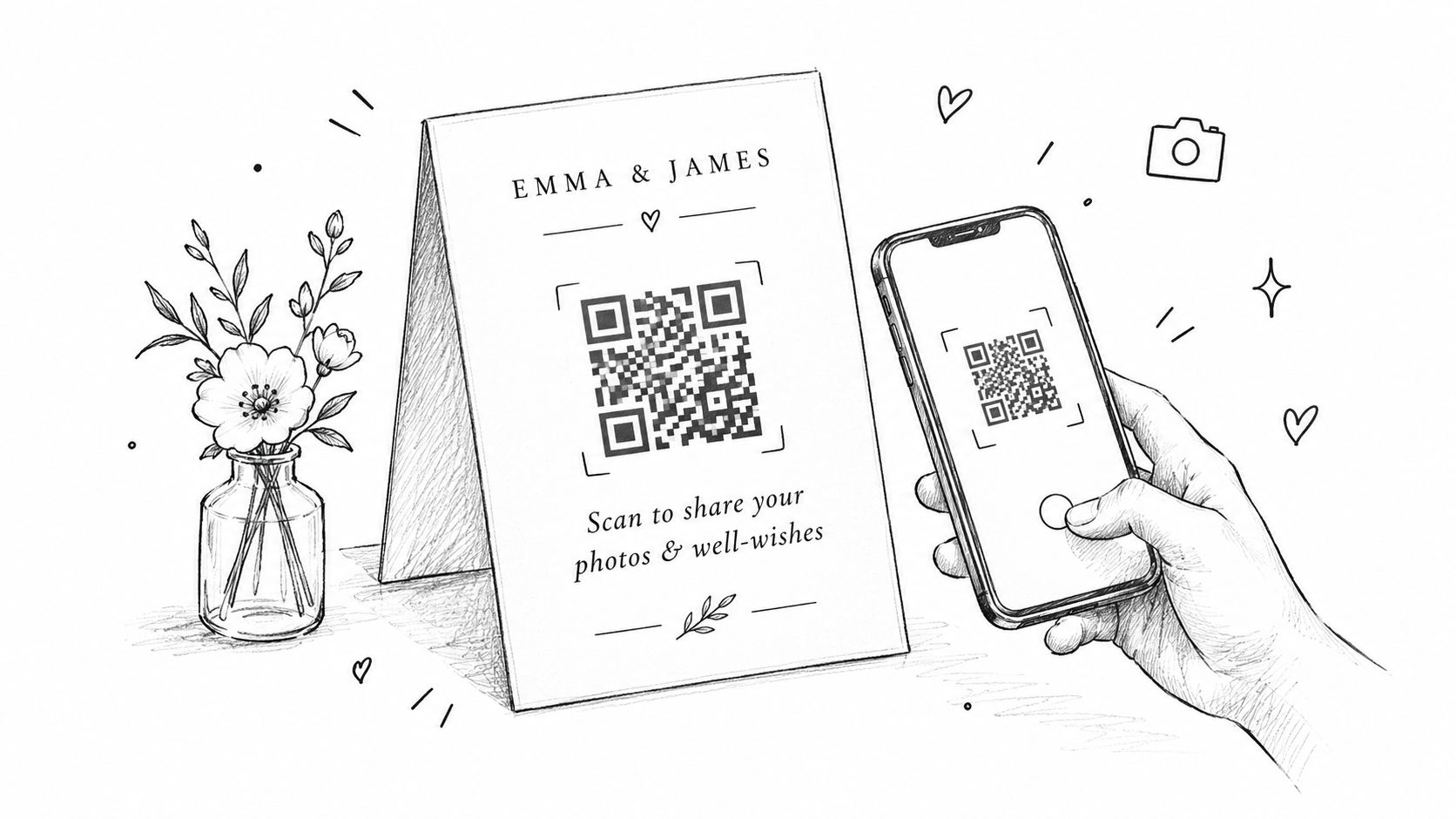
A strong version is simple. Large QR code. One short instruction. One short reason. “Scan to share your photos & well-wishes” works better than decorative copy that never explains the action. If you want a starting point, use a ready-made wedding photo QR sign template and then adapt the wording to your tone.
What works in real rooms
Recent wedding guidance makes a practical point many couples miss. The sign should face the direction guests arrive, and 8×10 inches is only a minimum for most rooms. The same guidance recommends fabric or PVC board for visibility at a distance and pairing the sign with pens and a short prompt, which is useful even for QR setups because people still need a reason to stop (guest book sign placement and readability guidance).
I'd also print more than one version. Put one sign at the welcome table and another where the energy rises later, such as near the bar, dance floor, or gift table. Guests often mean to upload “later” and forget unless the reminder appears again at the exact point they're already holding good photos.
- Keep the instruction first: “Scan to share photos, videos, and a note” is clearer than a poetic headline alone.
- Test the printed code: Scan the actual printed sign on different phones before the wedding.
- Use spill-resistant materials: Laminated cards or mounted signs hold up better at outdoor bars and crowded receptions.
Practical rule: If a guest can't understand the sign while walking past it, the wording is too complicated.
2. Hashtag-Inspired Digital Signage with QR Fallback
Some couples still want the social energy of a custom hashtag. That can work well, as long as the sign doesn't rely on the hashtag alone. Social posts are public, selective, and often compressed. A QR fallback gives guests a private place to send the originals and any message they don't want on social media.
This format works best when the hashtag functions as visual branding, not as the whole collection system. A destination wedding might show the hashtag on the welcome sign, cocktail napkins, and weekend itinerary, while the guest book sign adds a QR code with direct upload instructions. Guests remember the hashtag. Couples keep the better files in one place.
The right way to combine both
The sign should present two distinct actions, not one muddled paragraph. For example:
- Share publicly with our hashtag
- Scan to upload your full photos and private messages
That order matters. Guests instantly understand that one path is for social sharing and the other is for the wedding archive.
QR use at weddings has moved beyond novelty. A 2026 New York Times report citing The Knot's 2026 Newlywed Study says 59% of couples used QR codes for their weddings in 2026, which makes QR-backed signage feel familiar to many guests rather than experimental (New York Times coverage of wedding QR code use).
A few wording examples that work:
- “Post with #MiaAndNoahInBloom. Scan to send us the originals.”
- “Share the party on social. Scan to leave us the full-memory version.”
- “Tag your posts, then scan to upload photos and a note for our private album.”
If you haven't settled on a tag yet, a wedding hashtag generator can help you brainstorm something easy to spell and easy to say aloud.
Best fit
This is strongest for couples who know guests will post anyway. It's weaker for very formal weddings where guests rarely use social media during the event, or for venues with unreliable service where asking guests to do two digital actions creates friction.
3. Interactive Table Card Guest Books with Tear-Off QR Codes
Formal seated dinners create a different opportunity. Instead of hoping guests walk over to one guest book table, you place the invitation to participate directly at every seat. That's why table-card formats often outperform one beautiful station tucked into a corner.
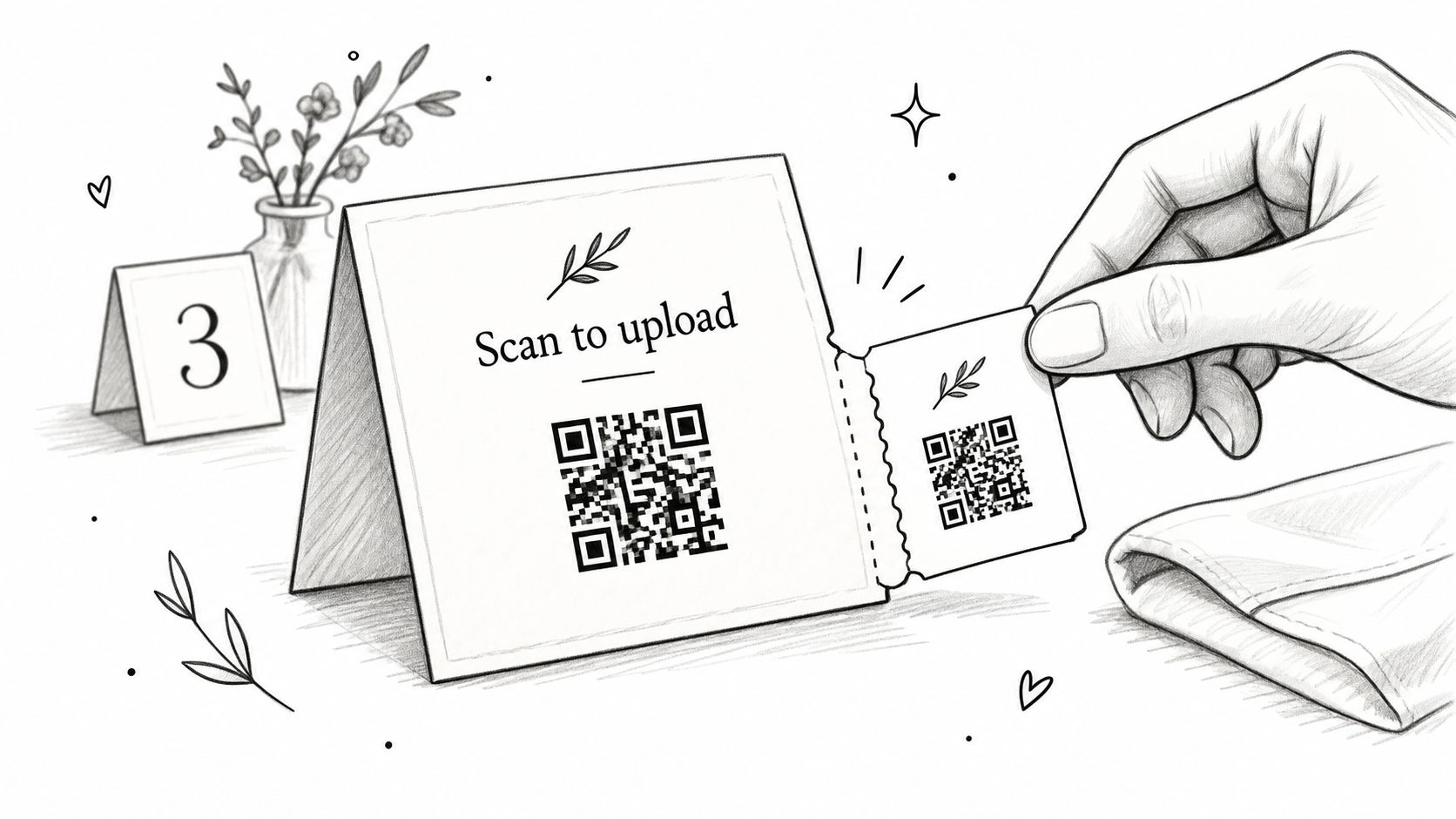
A tear-off QR card works especially well when you want the place setting to stay polished. The larger card can match your menu, escort card, or table number design. The tear-off section gives guests something they can keep in a pocket or clutch and scan later, which helps at weddings where people don't want to stop during dinner to type a message.
Why this format gets noticed
The biggest advantage is timing. Guests encounter the card while seated, waiting for dinner service, listening to speeches, or taking a break between courses. Those are natural participation windows. You're not asking them to leave the flow of the evening to find a separate table.
Prompting matters here too. Recent guidance on guest book questions notes that prompt-based signage and short sets of options often produce more personal responses than a blank request to sign, especially when couples want written notes, audio, or digital submissions instead of names alone (wedding guest book prompt ideas and trend guidance).
Try lines like these on the card:
- “Scan to share your photos and one favorite memory with us.”
- “Take this card, scan anytime tonight, and leave us a note.”
- “Snap, scan, send. We'd love your photos and well-wishes.”
A custom QR table card maker is useful here because the code has to stay crisp when printed small.
- Place cards face-up: Don't hide the QR on the back unless staff announce it.
- Keep the copy short: One action line is enough.
- Print spares: Guests lose cards, and late arrivals need extras.
This format shines at black-tie receptions, intimate dinners, and weddings where stationery design matters as much as function.
4. Standing Easel or A-Frame Signage with Large QR Code
Guests walk into the reception, glance around for the seating chart, bar, and card table, and a large sign is often the first wedding instruction they read. That makes an easel or A-frame one of the strongest formats for couples who want the guest book prompt to meet people in motion, before phones go back into pockets and the night gets busy.
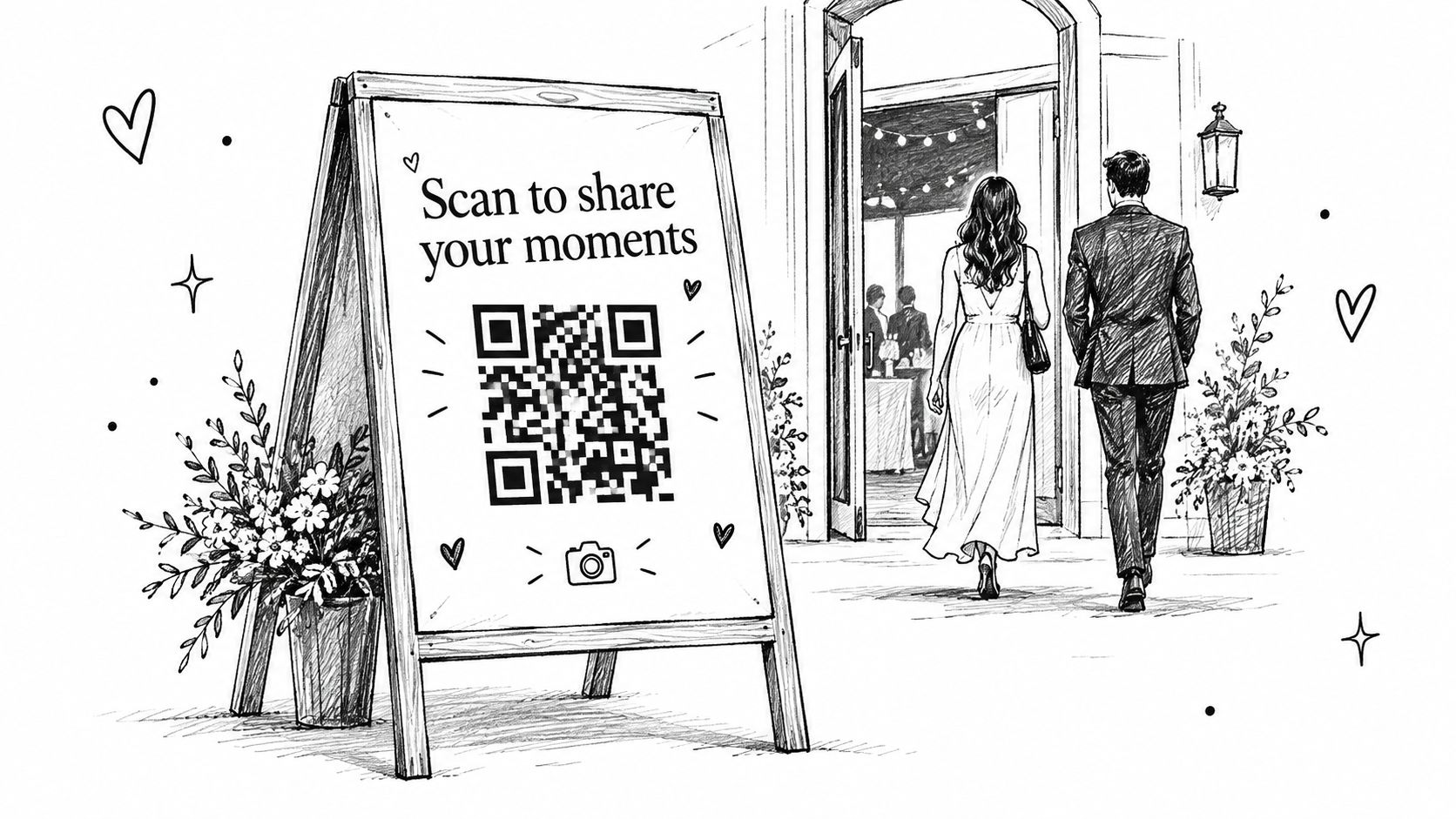
This format works especially well for outdoor weddings, large ballrooms, and venues where guests move through several zones. It gives the private QR guestbook a visible home without forcing the whole design to feel techy. Couples can keep the sign formal, minimal, rustic, or editorial, as long as the scan action is still obvious.
Design it for scanning first
A standing sign fails when it looks beautiful from ten feet away but becomes hard to use at two feet. The QR code needs real space, strong contrast, and quiet margins around it. I usually recommend treating the instruction line and the code as the main event, then fitting names, date, and decorative elements around that decision.
Short wording wins here because guests are standing, not settling in to read. Good options include:
- “Scan to sign our guest book”
- “Scan to share photos and a message”
- “Open our private guest book here”
- “Add your photos, notes, and well wishes”
If you want guests to know it is not a public social post, say so directly. A line like “Private gallery for our wedding guests” removes hesitation, especially for older relatives and anyone cautious about QR codes.
Best placements for this format
Placement decides whether the sign gets scans or just compliments. Put it where guests naturally pause for a few seconds and have one free hand.
- Reception entrance: Best for early visibility and first-wave participation.
- Outside cocktail hour or bar line: Good when guests have short waits and are already checking phones.
- Near the card or gift table: Useful if you want the sign associated with one small guest task.
- At the transition into dinner: Strong choice in larger venues where people regroup before finding tables.
One large sign can carry the message at a small wedding. In a spread-out venue, the easel should act as the anchor piece, with smaller reminders elsewhere so guests see the same QR guestbook more than once.
Wording examples for print and QR flow
For a physical sign, clarity beats cleverness:
- “Scan the code to leave us a note and upload your photos.”
- “Please add your pictures and a quick message to our guest book.”
- “Use your phone camera to open our wedding guest book.”
If the QR code opens a digital form or gallery landing page, match the sign to what guests will see next. If the page asks for photos plus a message, say that on the sign. If it offers a quick text note only, do not promise more than the page delivers. That small alignment improves completion because guests know what they are agreeing to before they scan.
A practical trade-off comes with this format. It gets attention well, but a single large sign usually produces fewer total responses than signs placed directly at each seat or in welcome materials, because some guests will notice it only in passing. Use it when visibility matters most, or pair it with one secondary touchpoint if participation is the top goal.
5. Guest Book Alternative with Written Prompts and Digital Submission
Some couples don't want signatures. They want stories, advice, and messages worth rereading. That requires a different sign. “Please sign our guest book” gets compliance. Specific prompts get substance.
This format works well when you care more about message quality than speed. Set out a small group of prompts at a guest book station, then let guests respond through a QR code by typing, uploading a photo of a handwritten card, or leaving a digital message through your chosen setup. If you want a fuller overview of how digital guest books can handle those formats, this digital guestbook guide gives a practical starting point.
Better prompts create better keepsakes
A blank page invites generic notes. A prompt gives guests a lane. Keep the selection short so people don't stall. Three to five options is usually enough variety without making the station feel like homework.
Useful sign wording includes:
- “Scan to write or record your message”
- “Choose one prompt and leave us a note”
- “Share a memory, a wish, or one sentence of marriage advice”
Prompt examples that adapt well:
- “What's your favorite memory with us?”
- “What should we remember when marriage feels hard?”
- “Where do you picture us in ten years?”
- “What made you smile today?”
Guests write better messages when the sign asks for one specific thing, not “anything you'd like to say.”
This setup is also flexible. If older relatives prefer writing by hand, place cards and pens at the station. If younger guests prefer typing on their phones, the QR does the work. You end up with one collection point instead of scattered note cards, camera rolls, and texts.
The trade-off is pace. A prompt station needs breathing room. Don't place it in the narrowest traffic pinch point of the reception. Give it a side table, decent light, and enough space for people to linger for a minute without blocking the room.
6. Vintage Chalkboard or Wooden Sign with Hand-Lettered QR Code
Rustic weddings often struggle with digital signage because couples worry a QR code will look too slick against barn wood, vineyard decor, or garden styling. It doesn't have to. The right handmade or hand-finished sign lets the code do its job without breaking the aesthetic.
This format is strongest when the materials already match the event. A stained wood sign on an easel, a framed chalkboard at the entrance, or an engraved acrylic-and-wood mix can all feel intentional. The key is to build around the QR code instead of trying to hide it.
What makes rustic signs succeed
The wording should stay plain even if the styling is elaborate. A script headline can say “Share Your Moments” or “Leave Us a Note,” but the instruction beneath it should be easy to read in a simple font:
- “Scan to share your favorite moments”
- “Scan and send love”
- “Upload your photos and well-wishes”
The common failure point is contrast. Chalk lettering may look romantic in daylight and become unreadable by candlelight. Dark wood can swallow a small code. If you choose this route, insist on a high-contrast print area for the QR itself and test it in the actual lighting conditions if possible.
This is a good place to be practical instead of precious. If the handmade sign is part of the decor story, keep it. But bring a backup printed card with the same code in case glare, weather, or a last-minute setup change makes the artisan version harder to scan.
Best fit
Choose this when the wedding design leads and you still want modern collection behind the scenes. It's especially good for barn weddings, vineyard receptions, and garden celebrations where a standard white acrylic sign would feel visually off.
7. Multi-Location QR Code Signage for Sub-Albums
One guest book sign can do the job. Several signs can do it better when the event unfolds across multiple spaces or multiple days. This format is less about decoration and more about organization.
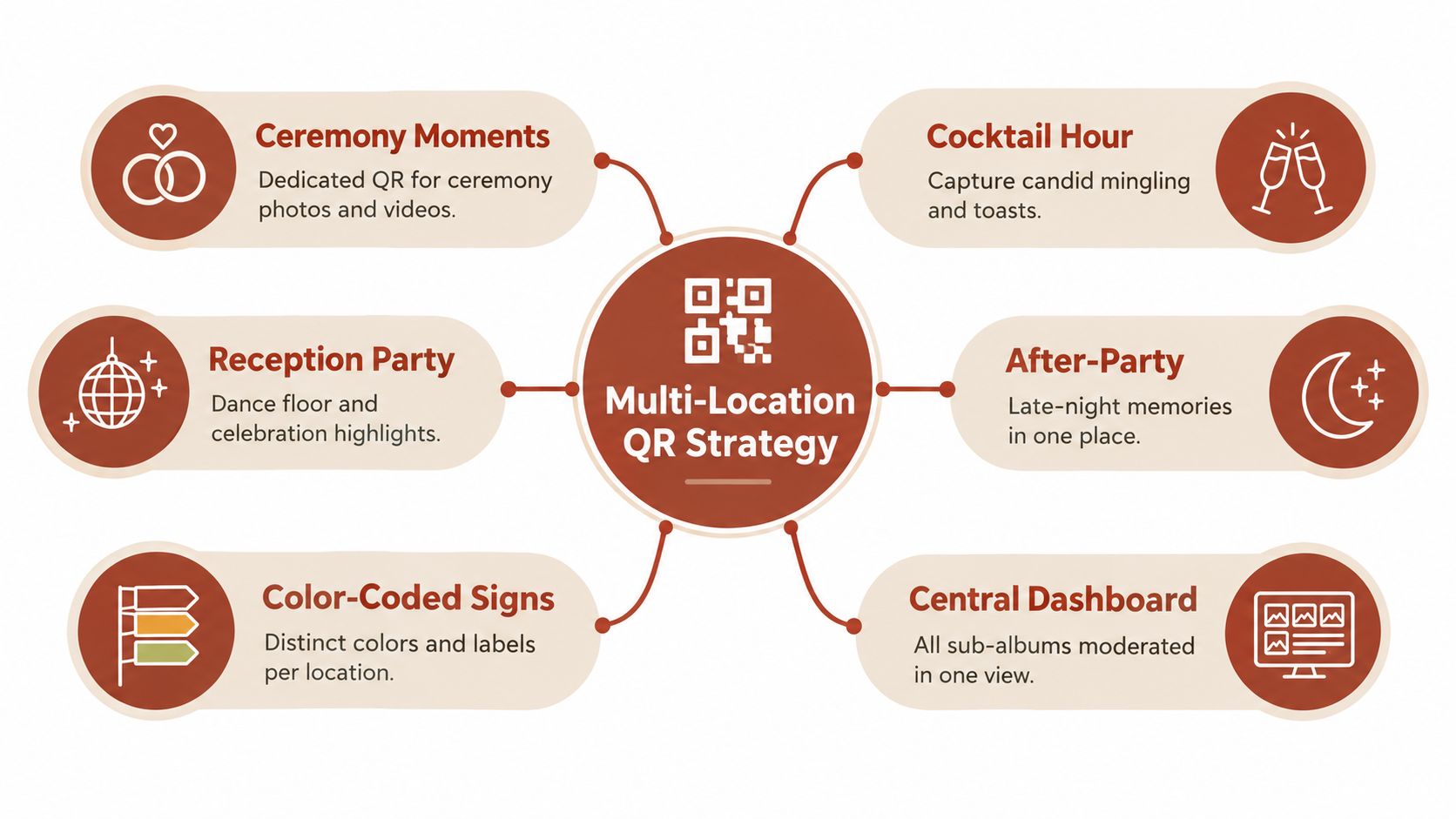
A large ballroom wedding might have one code near the ceremony doors, one at cocktail hour, another by the reception entrance, and one at the after-party. A destination weekend can stretch that idea across the welcome dinner, ceremony, reception, and farewell brunch. Guests always scan the code nearest the moment they're in, and the collection stays tidier on the back end if you're using sub-albums.
How to label the signs
The sign text should identify the moment, not just repeat the same generic line everywhere. That helps guests understand why there's another code in the next space.
Try labels like:
- “Ceremony Memories”
- “Cocktail Hour Moments”
- “Reception Fun”
- “After-Party Photos”
Under each label, keep the action line direct: “Scan to share photos from this part of the day.”
This approach also matches how people behave. They don't think in terms of one big archive while walking through your wedding. They think, “I just took photos at the ceremony,” or “I got a great dance-floor video.” Multi-location signs meet them in that mindset.
The trade-off
More signs mean more setup discipline. Every code has to link correctly. Every sign has to land in the right place. Someone should double-check them before guests arrive. For a simple single-room reception, this is probably overkill. For a wedding spread across an estate, hotel, or weekend itinerary, it's often worth the extra planning.
8. Personalized Guest Welcome Packages with Embedded QR Code Cards
A guest arrives at the hotel, drops their bag, and opens the welcome package before the wedding day starts moving fast. That is the best time to hand them your guest book instructions. A small QR card tucked into the package often gets more real use than a sign guests only notice once they are already heading into the ceremony or reception.
This format works well because it meets guests early and stays with them. They can slip the card into a pocket, keep it in the room, or scan it on arrival and save the link to their phone for the rest of the weekend. For destination weddings, hotel block events, and full wedding weekends, that timing matters more than couples sometimes expect.
Why welcome-package cards work
Guests use these cards differently from entrance signs or table cards. A welcome insert is less about catching attention in a crowded room and more about giving guests a low-pressure reminder before photos and videos start piling up. It also fits naturally with the rest of the package, such as the itinerary, shuttle details, local recommendations, or a handwritten note.
There is a trade-off. This format depends on guests receiving the package. If half the group skips the hotel block or checks in late, this should be a supporting format, not the only one. I usually treat it as the early touchpoint and pair it with one visible scan option at the venue.
What to print on the card
Keep the card simple enough to scan at a glance and useful enough that guests do not throw it away.
- A clear headline: “Share your photos and videos”
- A short instruction line: “Scan anytime this weekend to upload in one private album”
- The QR code: Large enough to scan easily, with good contrast
- A backup path: A short URL for guests whose camera struggles with QR codes
- One practical detail: WiFi name and password, shuttle text line, or weekend schedule note
If space allows, add “No app needed.” That line answers one of the most common points of hesitation.
Wording examples couples can adapt
For a physical card in the bag:
- “Welcome. Scan to share photos, videos, and a quick note with us all weekend.”
- “Keep this card handy and upload your favorite moments as the weekend unfolds.”
- “Seen something funny, sweet, or chaotic? Scan here and add it to our private guest book.”
For a QR-based guestbook card with a bit more direction:
- “Scan now, save the link, and upload anytime during the celebration.”
- “Private guest album. No app needed. Add your photos, videos, and messages here.”
- “From check-in to last dance, share your view of the weekend here.”
Design choices that hold up in real use
This is one of the easier formats to overdesign. Heavy script fonts, tiny QR codes, and dark patterned backgrounds often look good in proofs and perform poorly in a hotel room with uneven lighting. Use a high-contrast code, leave white space around it, and keep the instruction line larger than you think you need.
Card size matters too. A small enclosure card is elegant, but if it gets buried under tissue paper or favors, guests miss it. A 4x6 card usually gives enough room for the code, one line of instruction, and one practical detail without feeling crowded.
For couples using a private QR guestbook, this format does a good job of connecting style and function. The card can match the stationery suite while still doing a very practical job: giving guests an easy way to contribute before the day gets busy.
8-Point Comparison of Guest Book Sign Ideas
| Approach | 🔄 Implementation complexity | ⚡ Resource requirements | ⭐ Expected outcomes | 📊 Ideal use cases | 💡 Key advantage / tip | |---|---|---:|---|---|---| | QR Code Guest Book Signs | Low, simple design + print, quick setup | Low, printed signs/cards, venue WiFi/cellular | High, centralized, original-quality media; broad accessibility | All-size weddings, multi-day events, receptions | Place signs at high-traffic spots; test scannability beforehand | | Hashtag-Inspired Digital Signage with QR Fallback | Medium, design plus social monitoring/curation needed | Moderate, signage, social monitoring tools, moderation time | Medium‑High, strong social engagement; mixed quality from public posts | Large guest lists, social-savvy couples, destination weddings | Pick a unique hashtag and display with QR; assign someone to curate posts | | Interactive Table Card Guest Books (Tear-Off QR) | Medium, custom printing, perforation, place-setting logistics | Higher, per-seat printing, assembly, printing QA | High, personalized keepsake feel; good participation reminders | Sit-down receptions, intimate/formal weddings | Print at 300 DPI, use sturdy cardstock, provide spare cards | | Standing Easel / A‑Frame Signage with Large QR Code | Low–Medium, large-format design and placement | Moderate, easel, professional printing, weatherproof materials | High, very visible; easy scanning from distance | Outdoor ceremonies, reception entrances, large venues | Use matte finishes to reduce glare; test readability from 10+ ft | | Guest Book Alternative: Written Prompts + Digital Submission | Medium, station setup, prompt design, moderation | Moderate, printed prompts, device/QR, quiet area, moderation time | High, meaningful, searchable messages and voice notes | Formal receptions, guestbook stations, intimate gatherings | Offer 3–5 prompts, provide headphones/quiet corner for voice notes | | Vintage Chalkboard / Wooden Sign with Hand‑Lettered QR | Medium–High, artisan work and precision required | Moderate–High, calligrapher/designer fees, durable materials, backup print | High, strong aesthetic/Instagram appeal if QR is readable | Rustic, farmhouse, vineyard, vintage-themed weddings | Give artist a high-res QR file and test final sign scannability; have backup print | | Multi‑Location QR Code Signage for Sub‑Albums | High, multiple codes, signage coordination, dashboard monitoring | High, many prints, staff monitoring, Premium plan recommended for more sub-albums | Very High, organized contributions, simpler post-event curation, analytics | Large venues, multi-day/destination weddings, multi-space events | Color-code/label each sign; test links and brief guests in program/announcements | | Personalized Guest Welcome Packages with Embedded QR Cards | High, personalized design, printing, packaging & distribution logistics | High, per-guest printing, packaging materials, assembly labor | High, premium unboxing experience; guaranteed guest delivery of QR | Destination or luxury weddings, weekend-long celebrations | Include WiFi details, personalize cards, use sustainable packaging and test QR before print |
Choose the Sign Guests Will Actually Use
The best guest book sign isn't always the most elaborate one. It's the one guests notice, understand quickly, and can act on without asking for help. That's why your choice should start with guest behavior before style.
Choose a standing easel or A-frame when visibility matters most. Use table cards when guests will be seated for a formal meal and you want the prompt placed directly in front of them. Pick written prompts when the quality of the message matters more than speed. Lean into chalkboard or wood when the wedding design is rustic and you need the sign to blend with the decor. Use welcome-package cards for destination events, and use multi-location signage when the celebration moves across several spaces or several days.
Keep the wording short and action-oriented. Guests shouldn't have to decode a script-heavy paragraph to leave you a message. A headline plus one instruction line is usually enough. If you're using QR-based collection, test every printed code before the wedding, not just the digital file on your laptop. Matte finishes, strong contrast, and larger print areas usually scan more reliably than glossy, low-contrast designs.
Placement matters as much as the design. Put the primary sign where guests naturally pause, such as the entrance, the welcome table, the gift table, or a cocktail area. Then add one secondary reminder where people are likely to have fresh photos and a free hand. That pairing usually works better than filling the venue with repeated signs that guests start ignoring.
If connectivity could be spotty, include WiFi details on the sign or on a nearby card. If older relatives or less tech-comfortable guests are on your list, make the instructions plain and visible from a short distance. If you care about meaningful notes, don't stop at “please sign.” Give people a prompt worth answering.
One practical approach beats most others. Use one primary sign for visibility and one secondary reminder for follow-through. That keeps the setup clear, stylish, and hard to miss.
For couples going digital, The Wedding Pics is one relevant option because it lets guests upload photos, videos, and written messages to a private album by QR code from a mobile browser, with moderation and download tools available to the couple. That makes it easier to connect your signage to one collection point instead of chasing files after the wedding.
If you want your guest book sign to do more than decorate a table, The Wedding Pics gives you a private QR-based album where guests can upload photos, videos, and messages without an app or account. It's a practical fit for the sign ideas above because you can use one link across entrance signs, table cards, welcome inserts, and multi-day events while keeping everything in one place.
- guest book sign ideas
- wedding guest book
- QR wedding guestbook
- wedding signage
- digital guestbook