Wedding QR Code Photo Sharing How to Get Every Guest Shot
Master wedding QR code photo sharing with a step-by-step setup, signage, moderation and slideshow guide to collect every guest photo in one private album.
From first scan to shared album
See wedding qr code photo sharing how to get every guest shot from the guest’s side.
Master wedding QR code photo sharing with a step-by-step setup, signage, moderation and slideshow guide to collect every guest photo in one private album.










Your wedding guests are already taking photos. The problem isn't whether the pictures exist. It's where they end up.
By the next morning, they're scattered across text threads, buried in family group chats, compressed by messaging apps, posted to private stories you never see, or left sitting in camera rolls until everyone forgets. That's why couples often feel like they had a well-photographed wedding and still somehow missed half the day.
Wedding QR code photo sharing fixes that when it's treated as a guest experience system, not just a square printed on a card. The QR code is only the front door. What matters is what guests see after they scan, who can view what they upload, what gets shown live, what stays private until approved, and how you close everything down and archive it after the event.
That's the part people skip. And it's the reason some weddings collect a flood of candid memories while others end up with a nice sign nobody used.
Table of Contents
- Why Wedding QR Code Photo Sharing Beats Group Chats
- Planning Your Private Album Before the Big Day
- Designing QR Cards and Signs Guests Actually Scan
- Running Moderation and the Live Slideshow on the Day
- Getting More Guests to Upload Without the Awkward Ask
- Wrapping Up With Downloads Archiving and Thank Yous
Why Wedding QR Code Photo Sharing Beats Group Chats
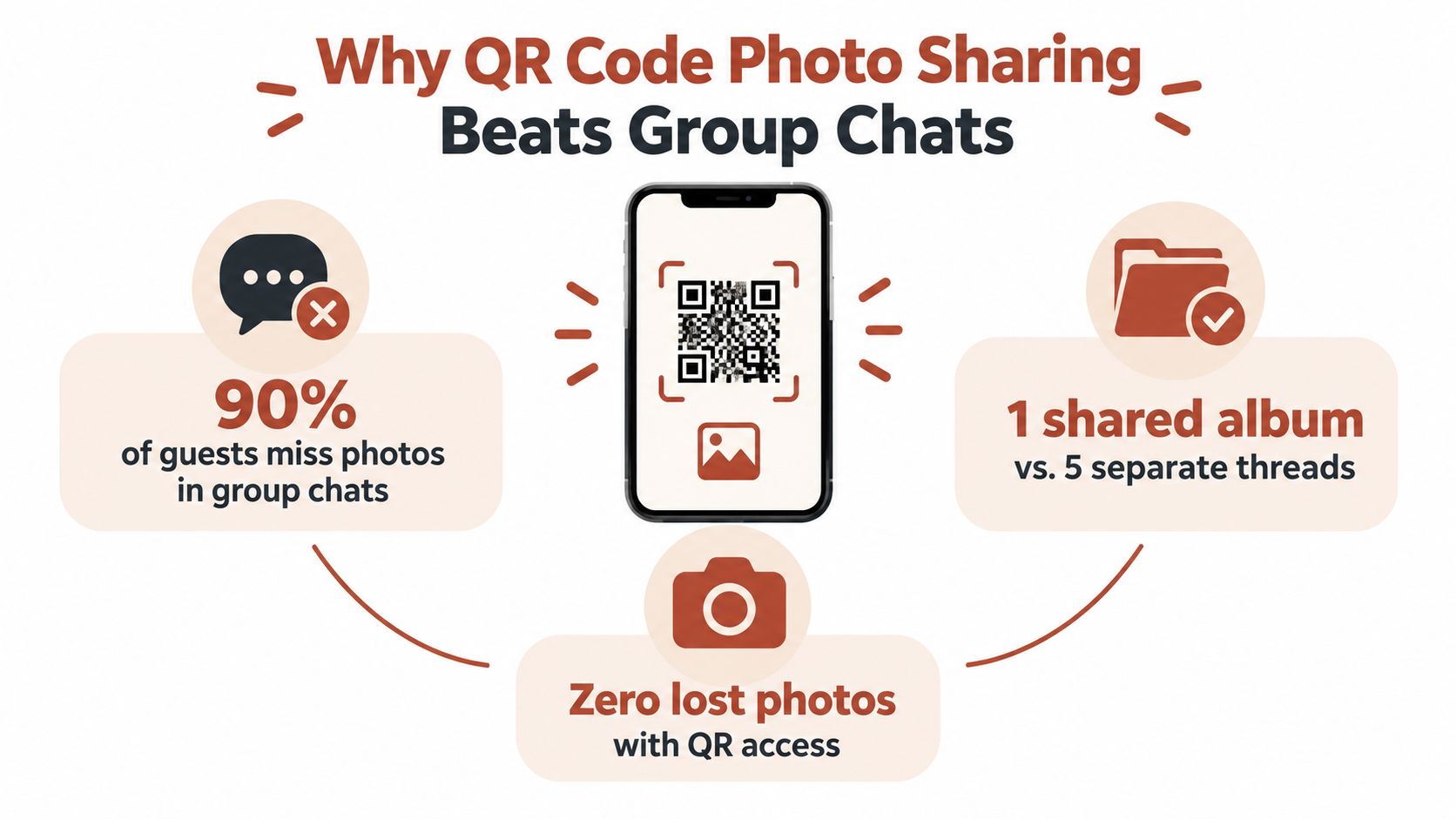
At almost every reception, the same pattern shows up. One cousin starts a WhatsApp thread. A friend drops a few blurry dance floor shots into iMessage. Someone else says they'll AirDrop photos later. By the end of the night, everyone has technically shared, but nobody has shared in one place.
That's why group chats feel convenient and still fail in practice. They create scattered participation. Guests post where they already are, not where you need the photos to be. Then the couple has to chase files later, sort duplicates, and accept that some of the best candids never arrive at all.
A private album linked by QR code solves a different problem than a group chat. It doesn't just give guests a place to send photos. It gives them one obvious path while they're already holding their phone.
What the guest experience should feel like
The best version is simple. A guest sees the sign, scans with the camera, lands on a clean mobile page, uploads, and goes back to the party. No hunting through a thread. No asking which album link is current. No app install.
That browser-first flow matters more than most couples realize. A large scan dataset found that 97% of scans came from mobile devices, with desktop around 2% and tablets under 1%. The same dataset found Chrome handled about 90% of scans, which is why upload pages should be tested first on phone browsers and built for quick camera-to-upload behavior, not desktop edge cases (mobile QR scan behavior data).
Practical rule: If a guest has to create an account, remember a password, or tap through redirects, you'll lose uploads.
Why this works better than chat apps
Here's difference:
| Method | What guests do | What couples deal with later | |---|---|---| | Group chats | Drop photos into multiple threads when they remember | Scattered images, compression, missing files | | Social posts | Share selectively and publicly | Incomplete coverage, privacy trade-offs | | QR album | Scan once and upload into one private destination | Centralized collection and easier review |
A centralized album also handles the emotional side better. Guests don't have to decide whether a photo is “good enough” to post publicly. They can just contribute. That usually leads to more natural moments, more behind-the-scenes perspective, and less performance.
If you're weighing a shared album against messaging apps, this comparison of WhatsApp vs The Wedding Pics is a useful way to see where chat workflows usually break down.
Group chats are good for conversation. They're bad at acting like an event archive.
By the end of the night, success looks like this: guests know where to upload, the album stays organized, the couple controls visibility, and nobody spends the next month sending “Can you text me that photo?” reminders.
Planning Your Private Album Before the Big Day
The biggest mistake happens before printing. Couples generate a QR code too early, then figure out privacy, album structure, slideshow rules, and timing later. That usually leads to messy uploads or last-minute reprints.
Set the album first. Print second.

Start with privacy before design
A QR code is only a pointer. It doesn't tell you anything about who can see the photos after upload. That's why privacy needs to be a first decision, not an afterthought.
Independent wedding guidance on QR guest photo sharing recommends choosing whether your album is private, guest-visible, moderated, or public, adding a note near the code about how images will be shared, and using moderation when children or sensitive moments may appear (privacy and consent guidance for wedding QR photo sharing).
For most weddings, one of these setups works well:
- Private with couple-only review if you want full control before anyone else sees uploads.
- Guest-visible with moderation if you want a communal gallery but still want to filter what appears.
- Invite-only or PIN-protected viewing if the wedding is small, family-focused, or privacy-sensitive.
If you know you'll have children at the wedding, vulnerable relatives, or guests who value discretion, choose moderation from the start. It's much harder to tighten visibility after guests have already assumed the gallery is open.
Build the album around the actual event flow
Don't overcomplicate the structure. You want guests thinking about taking photos, not decoding a filing system.
A clean setup often looks like this:
- Ceremony
- Reception
- After-party
- Optional pre-wedding events like welcome drinks or rehearsal dinner
Sub-albums work best when they match how the day naturally unfolds. That keeps exports cleaner later, especially if you plan to share some folders with parents or use one section for thank-you cards.
The same goes for upload timing. Decide early:
- When uploads open so early arrivals aren't confused
- How long the upload window stays live after the wedding
- When viewing closes or changes
- Who can download originals
Decide what else guests can contribute
Photos are the core, but this is also where you choose whether the album includes:
- Videos for speeches, dance floor clips, and candid short moments
- Written guestbook messages from guests who want to leave more than an image
- Voice notes if your platform supports them and you like that style
- Guest names capture if you want uploads tied to contributors
This is one place where product differences matter. For example, The Wedding Pics offers a web-based private album with QR guest uploads, optional sub-albums, moderation, slideshow support, guestbook features, and different gallery access settings including guest PIN and invite-only viewing. That kind of setup is useful when you want the collection, review, display, and export process handled in one browser-based workflow.
Test the mobile flow like a guest would
Before you approve any print piece, scan the code from your own phone and someone else's. Then try it again on weak venue-style signal if you can.
Check these points:
| Test item | What you want | |---|---| | Landing page | Opens fast and clearly shows where to upload | | Browser behavior | No odd redirects or broken mobile layout | | Upload path | Short, obvious, and no account wall | | Confirmation | Clear sign that files were received | | Gallery visibility | Matches the privacy setting you chose |
If the upload page makes sense to you but not to your least tech-comfortable relative, it isn't ready yet.
The planning stage is where a smooth wedding QR code photo sharing experience is won. Good cards can't rescue a confusing album.
Designing QR Cards and Signs Guests Actually Scan
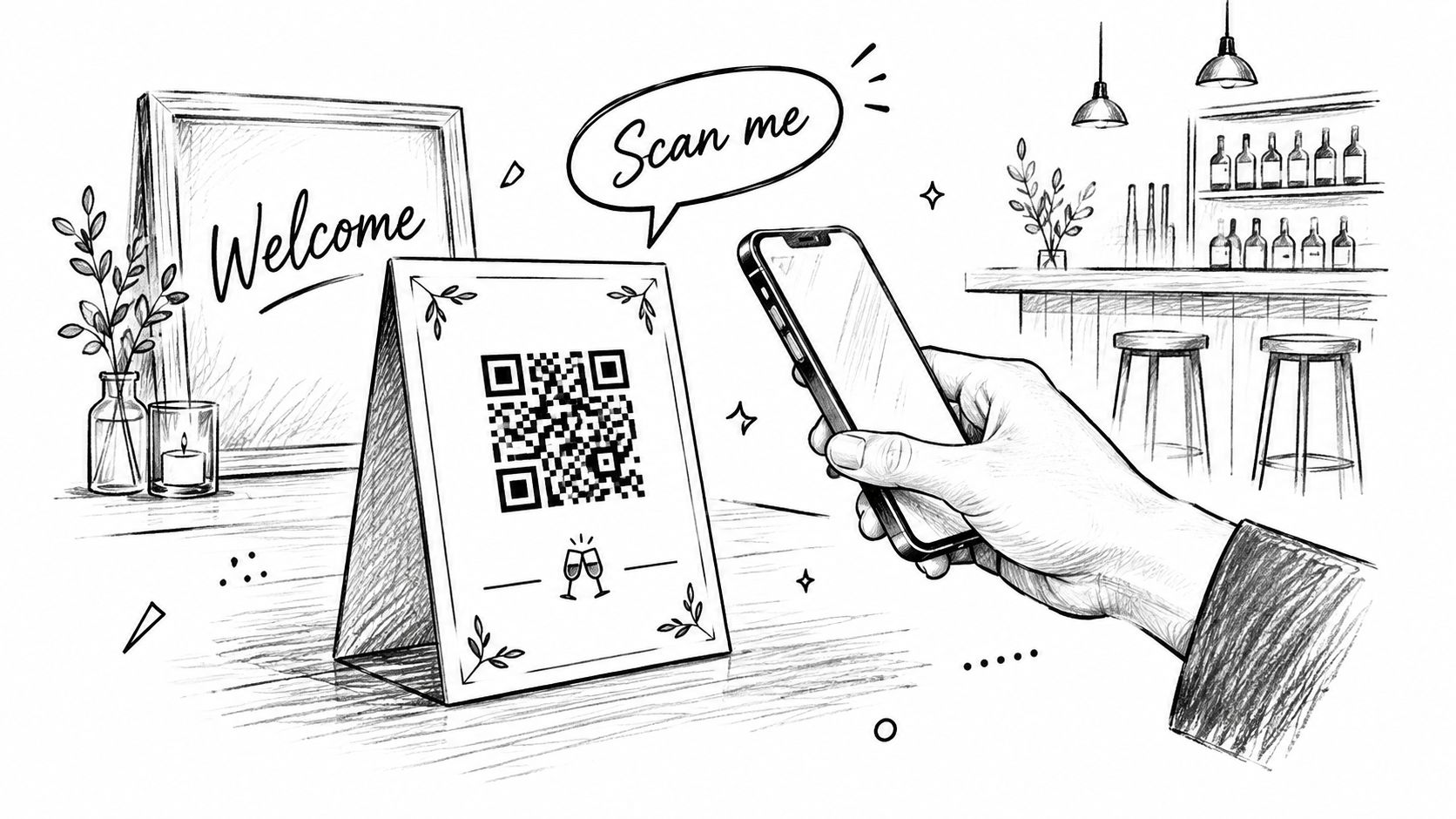
Guests don't scan a QR code because it exists. They scan because the sign answers three questions fast: what is this, what happens if I scan, and is it safe to use?
That means your print pieces aren't decoration. They're conversion tools.
Use wording that removes hesitation
Most signs are too vague. “Scan me” is cute, but it leaves guests doing mental work. You want direct language that tells them exactly what to do.
Good wording is plain:
- Share your photos here
- Scan with your camera
- Upload from your browser
- No app needed
That last line matters. Guests often assume a QR code means they'll be pushed into downloading something. If you remove that fear upfront, more people try it.
If you need help phrasing table cards and larger signs, this guide to wedding QR code sign wording gives strong examples that read clearly in real venues.
Put codes where guests naturally pause
A beautiful welcome sign at the entrance isn't enough on its own. That area is busy. People are greeting each other, finding seats, checking attire, and following the flow of the room.
Better placements are the spots where guests stop and already have their phones in hand:
- Reception tables with an A6 card or stand
- Bar signage where people wait and chat
- Guestbook area because guests are already in participation mode
- Lounge or cocktail tables during the slower social stretch
- Near the exit for end-of-night reminders
For multi-day celebrations, use the same visual language across events so guests recognize it instantly.
Design for real venue conditions
A QR code that looks elegant in a mockup can fail badly in candlelight or outdoors. Contrast matters. Size matters. Print quality matters.
Use this quick check before sending anything to print:
| Design choice | What works | What fails | |---|---|---| | Contrast | Dark code on light background | Low-contrast code on tinted paper | | Size | Large enough to scan from a casual standing distance | Tiny code squeezed into a busy layout | | Instructions | One short action line | Decorative wording with no explanation | | Placement | Eye-level or table-level pause points | Hidden corners or crowded sign clusters |
A short privacy note also helps. Something like “Uploads are reviewed before public display” or “Shared in our private wedding album” answers the concern guests often have but don't ask aloud.
Guests scan faster when they know where the photo is going.
Match the code to the wedding without burying it
Yes, the sign should fit your stationery. No, that doesn't mean turning the QR into a design puzzle.
Use your colors, typefaces, and paper stock around the code, not through the code. Couples sometimes stylize it so heavily that scanning becomes unreliable. The better approach is a clean code with tasteful framing, then let the surrounding card carry the visual personality.
For outdoor ceremonies, laminate or mount signs so they don't curl. For dim receptions, place cards where there's enough ambient light. For larger rooms, repeat the code in several stations instead of assuming one giant sign will do the job.
Wedding QR code photo sharing works best when signage feels obvious, not clever.
Running Moderation and the Live Slideshow on the Day
The system becomes more than a file drop. On the wedding day, guest uploads, moderation, privacy, and the slideshow all need to work together.
If they don't, one of two things happens. Either nothing goes live and guests lose momentum, or everything goes live and you end up showing images you wish had stayed private.
Treat moderation like a role, not a feature
Don't leave this to chance. Assign one trusted person to watch uploads from a phone during the event. That can be a planner, a sibling, a coordinator, or one organized friend who won't mind checking in during dinner and dancing.
Their job is simple:
- Review incoming uploads
- Approve the ones that should appear publicly
- Keep questionable or sensitive images pending
- Watch the slideshow feed occasionally to make sure it still feels right for the room
That's enough. You don't need a command center. You need one calm person who understands the tone you want.
Some photos are perfect for your archive and wrong for the projector. Moderation is what separates those two destinations.
Build one flow from upload to screen
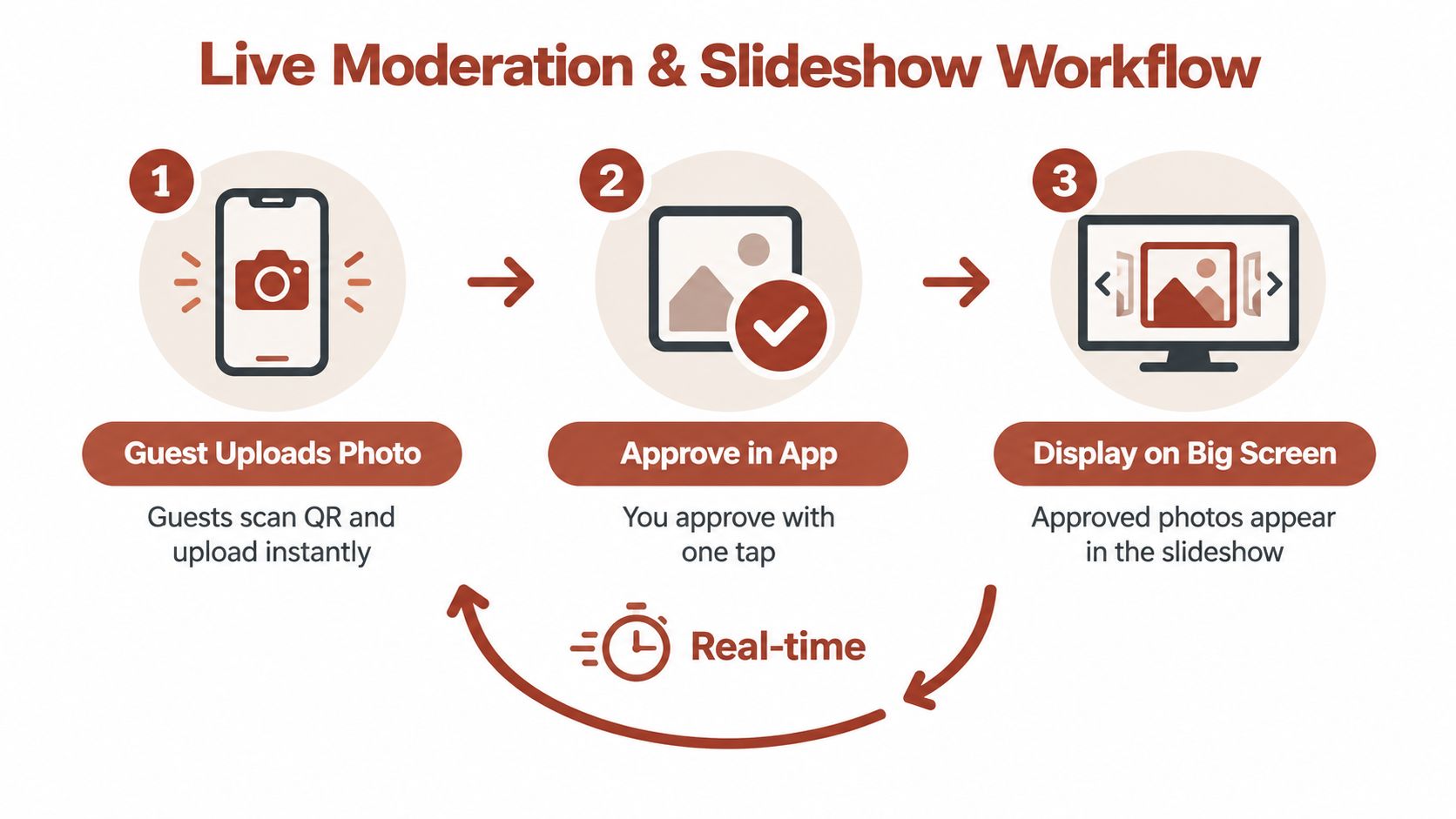
The best live slideshow setups use approved photos only. Pending uploads stay private until someone clears them. That keeps the public-facing gallery and venue display aligned.
This video gives a useful look at the slideshow side of that process:
A clean event-day workflow looks like this:
| Stage | What happens | Why it matters | |---|---|---| | Guest scans and uploads | Photos enter the album quickly from mobile | Keeps participation easy | | Moderator reviews | Sensitive, duplicate, or off-tone images can stay private | Protects privacy and atmosphere | | Approved gallery updates | Public-facing album stays intentional | Guests see a polished shared feed | | Slideshow displays approved images | Venue screen reflects the best of the room in real time | Adds energy without risk |
If you want practical setup ideas for venue displays, this article on making a wedding slideshow is worth reading before the week of the wedding.
Know when to start the slideshow
Don't turn it on the second doors open. Early uploads are usually sparse, repetitive, or just setup shots.
A better approach is to start once the room has some momentum. Cocktail hour can work if the gallery is already filling. More often, the sweet spot is later, when guests have had time to take candids and the moderator has enough approved material to create a good rhythm on screen.
For sensitive parts of the day, keep a tighter hand on approvals:
- Family moments with children should be screened carefully
- Ceremony images may be better held until after the formal part of the event
- Emotional moments like private embraces or visible tears may belong in the archive, not the slideshow
- Dance floor photos benefit from a quick tone check before they go public
Keep reminders light
Guests usually need a nudge or two, not a campaign. One short mention from the MC and a visible card at each table is enough for many weddings.
The reminder works best when it sounds like an invitation, not an instruction. “If you're taking photos tonight, please add them to the album using the QR code on your table” lands well. Repeating it every half hour doesn't.
The live slideshow helps here because it creates proof. Once guests see images appearing on screen, they understand the system without needing another explanation.
Getting More Guests to Upload Without the Awkward Ask
Low upload rates usually aren't about willingness. They're about friction.
If the path is smooth, guests contribute. If the path feels even slightly annoying, they postpone it. Once they postpone it, many won't come back.
Compare the common friction points with what actually works
An academic study on QR code usage found that older adults were only 13% as likely as younger adults to have used a QR code. The same source also noted that in a clinical setting, 85% of patients were willing and 80% able to scan a QR code when the task was clearly explained (QR adoption and instruction clarity findings).
For weddings, that tells you something useful. The issue often isn't the code itself. It's whether the guest understands what happens next.
| Friction point | What guests feel | Better fix | |---|---|---| | App install required | “I'll do that later” | Browser upload from the phone camera scan | | Account creation | “Too much effort for one event” | No-login path | | Unclear instructions | “I'm not sure this is for me” | One-line explanation on the sign | | Older guest hesitation | “I don't want to do it wrong” | Simple printed guidance and a human helper | | Too many redirects | “This is taking too long” | Direct landing page to upload |
Give guests redundant ways to understand it
One sign isn't always enough, especially in a mixed-age room. Use layered guidance:
- Table cards for visibility during dinner
- A welcome-area sign for early awareness
- A short verbal mention from the MC or planner
- A helper at the welcome table who can show one person how it works in about ten seconds
That last part matters more than people think. Once one guest at a table understands it, they often show the others.
Clear instructions beat clever branding every time.
Test the phones guests will actually use
Don't spend your prep energy polishing desktop layouts. Real-world scan behavior is overwhelmingly mobile, and phone browser experience is where most weddings win or lose participation, as noted earlier.
Before the event, test the album on:
- iPhone with Safari
- Android with Chrome
- Slow network conditions
- A guest flow with no prior knowledge
Open the camera, scan, upload, confirm. If any part feels clunky, simplify it.
If you want wording for gentle reminders that don't sound pushy, this guide to a wedding photo upload reminder message has scripts that work well for DJs, planners, or a maid of honor.
One more thing helps participation: ask for candids, not perfection. Guests relax when they know you want the night, not polished content.
Wrapping Up With Downloads Archiving and Thank Yous
The best part of wedding QR code photo sharing comes after the party. Not because the event is over, but because the files are already where they should be.
No chasing. No downloading from five apps. No trying to remember whether your cousin sent the sparkler exit video by text or email.
Close the album deliberately
When the wedding weekend ends, give the album a proper finish. Don't leave it drifting open with no plan.
A clean wrap-up looks like this:
- Leave the upload window open briefly for guests who waited until the next morning
- Run a final moderation pass so the archive reflects what you want saved
- Sort anything that belongs in sub-albums if a few uploads landed in the wrong place
- Lock down viewing or downloads if you want tighter long-term privacy
That short grace period helps catch late uploads without turning the album into an endless open folder.
Export with future use in mind
Original-quality files matter most after the wedding. That's when you start choosing images for printing, family sharing, anniversary books, and thank-you notes.
Organize the archive in ways you'll use later:
- Family-facing folder for parents and grandparents
- Highlights folder for thank-you cards
- Candids only folder for your own keepsake book
- Video folder for speeches and dance clips
If your platform supports whole-album ZIP export and individual downloads, use both. The ZIP is your archive. The smaller curated folders are what you'll revisit and send.
Turn the collection into something finished
A full album is wonderful. A finished collection is better.
Choose a handful of guest-shot moments that your professional gallery may not include. Morning setup details. Reactions at tables. Funny side conversations. The strange little in-between scenes that always become favorites later. Those are often the images that make thank-you messages feel personal instead of formulaic.
This is the payoff of doing the setup right. One private system carries the event from upload, to moderation, to display, to export, to long-term storage. You don't just gather photos. You keep the story intact.
If you're planning this now, aim for a setup that guests can understand in seconds and that you'll still appreciate months later when you're printing, sharing, and revisiting the day.
The Wedding Pics gives couples a browser-based way to collect guest photos, videos, and messages in one private wedding album through a QR code, with moderation, slideshow options, and original-quality downloads built into the same workflow. If you want wedding QR code photo sharing that covers setup, live event use, and archiving without asking guests to install an app, visit The Wedding Pics.
- wedding qr code photo sharing
- wedding photo sharing
- qr code wedding photos
- wedding guest photos
- wedding slideshow tips