Wedding Guest Photo Captions: 10 Ideas
Find wedding guest photo captions for romantic, funny, family, group, bridal party, and destination wedding photos, plus hashtag and formatting tips.
From first scan to shared album
See wedding guest photo captions: 10 ideas from the guest’s side.
Find wedding guest photo captions for romantic, funny, family, group, bridal party, and destination wedding photos, plus hashtag and formatting tips.










The reception is over, the dance floor has emptied, and your phone is full of hugs, champagne toasts, chaotic dancing, family snapshots, and quiet moments nobody planned. Each image says something different about the day, but the right caption can add context without stealing attention from the people in the frame. The challenge is especially noticeable when you're posting someone else's wedding. You want to celebrate the couple, not make the caption about yourself or sound overly sentimental.
These wedding guest photo captions are organized by the feeling and setting behind the image. You'll find ideas for romantic candids, family memories, bridal-party posts, QR upload signs, live reception displays, and celebrations that stretch across several days. After each group, you'll get simple ways to adjust the wording, choose hashtags respectfully, format the post, and encourage guests to contribute photos.
A caption can invite participation, preserve a memory, or help everyone understand where an image belongs. The Wedding Pics also gives couples a private, QR-accessed album for collecting guest photos, reviewing submissions, and preserving the finished collection after the celebration.
Table of Contents
- 1. Nostalgic Memory-Building Captions
- 2. Frictionless Participation Captions
- 3. Inclusive Perspective-Sharing Captions
- 4. Centralized Convenience Captions
- 5. Quality Preservation Captions
- 6. Real-Time Event Experience Captions
- 7. Family Engagement and Multi-Generational Captions
- 8. Destination and Multi-Day Wedding Captions
- 9. Professional Coordination and Planning Captions
- 10. Customization and Personal Branding Captions
- 10-Point Comparison: Wedding Guest Caption Types
- Choose the Caption That Matches the Moment
1. Nostalgic Memory-Building Captions
The most meaningful guest photos are often the ones nobody staged. A cousin laughing at the edge of the dance floor, a parent fixing a boutonniere, or friends embracing after the ceremony can reveal the emotional texture of the day. A nostalgic caption should make that value clear without pretending the photo is more polished than it is.
Try language that places the image inside the couple's long-term story:
- For a candid dance photo: Every guest photo is a memory we might otherwise miss. Your perspective makes our story complete.
- For a family interaction: Captured through your eyes, this became one of our forever moments.
- For spontaneous laughter: Five years from now, these candid shots will mean more than we think. Help us keep them.
- For an informal, authentic image: The best wedding photos aren't always posed. Capture what made you laugh.
The strongest captions mention a real detail. Replace “such a beautiful day” with “Grandpa dancing with the flower girl” or “the hug outside the ceremony.” Specific wording helps the couple remember not only what happened, but how it felt.
Practical rule: Let the photo carry the emotion. The caption only needs to identify the moment and explain why it matters.
If you're collecting images for long-term access, direct guests toward a shared wedding album guide. Invite them to download and archive favorite originals rather than leaving meaningful memories buried in a group chat. That simple step can turn a spontaneous guest snapshot into part of a family record.
2. Frictionless Participation Captions
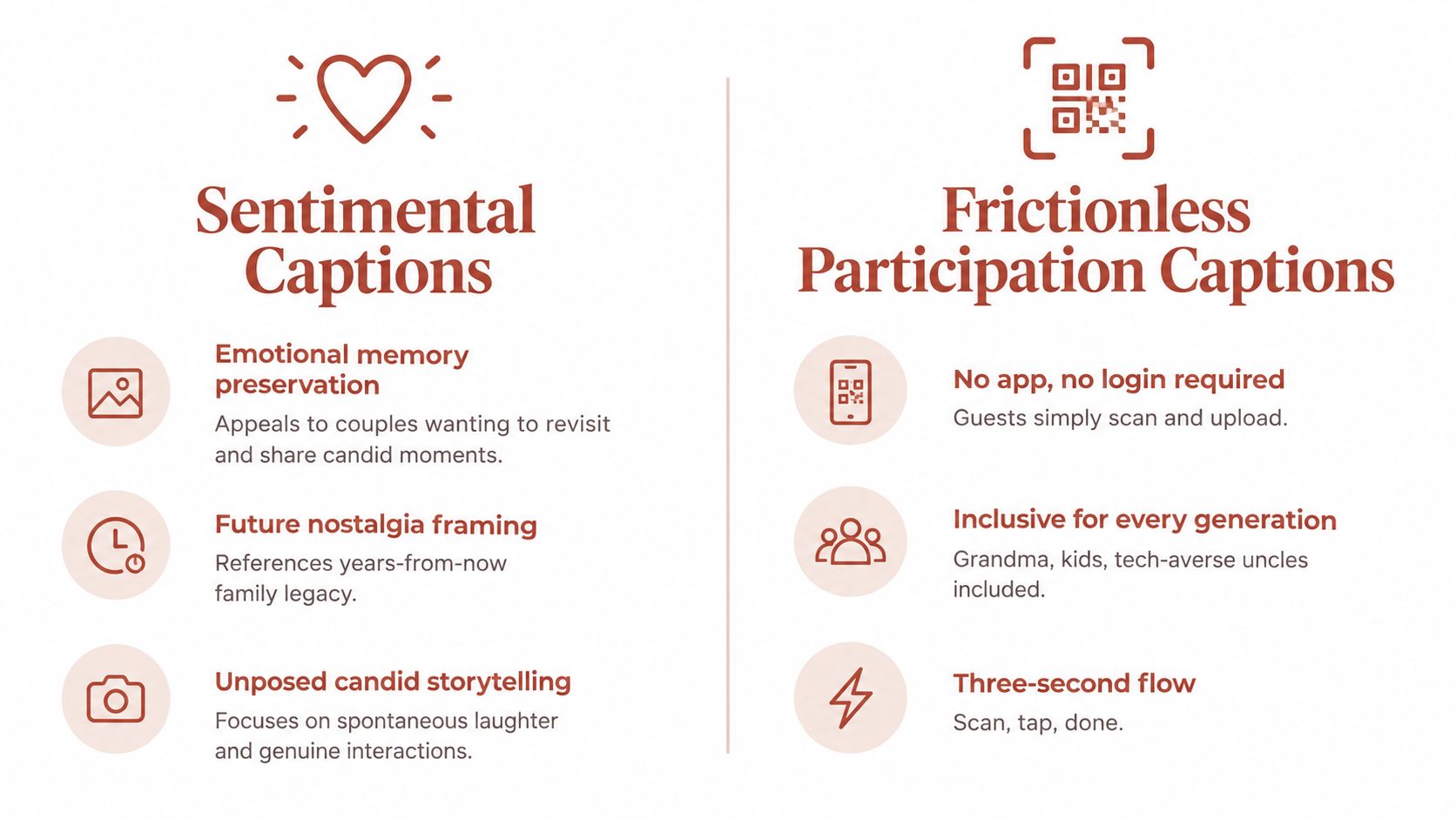
A guest may love the idea of sharing photos and still abandon the process if it requires an app, a new account, or a password they can't remember. The caption on a QR sign should remove uncertainty immediately. Tell people what to do, what they'll get, and how little effort is involved.
Use short, active instructions:
- For a table card: Scan with your phone camera. Tap the link. Upload your favorite shots.
- For a welcome sign: Snap it, scan it, share it. No app or login required.
- For a reception display: Your view of the day belongs here. Scan and upload from your browser.
- For a playful family message: Grandma can do this. Your tech-averse uncle can, too. Scan, tap, done.
A browser-only workflow matters because wedding guests have different levels of technical confidence. The QR wedding photo upload option lets couples connect a printed card to a private collection space without asking every guest to install the same tool.
Make the instruction visible
Place the QR code where guests naturally pause, such as table settings, the welcome area, the bar, or near a guestbook. Pair it with a clear sentence rather than a vague phrase such as “Share your memories.” Test the sign with several actual guests before printing, including someone who isn't comfortable with new technology.
The wording should match the action. Use verbs such as scan, snap, upload, and share. Avoid adding unnecessary steps to a moment when guests are busy celebrating.
3. Inclusive Perspective-Sharing Captions
One photographer can't stand beside every table, follow every child through the garden, or notice every conversation during cocktail hour. Guest photos add angles that formal coverage may not include. Captions in this category should make contributors feel invited, not evaluated.
Use the language of personal perspective:
- For a behind-the-scenes image: Your uncle's table has moments our photographer may never see. Share them.
- For a candid group photo: One photographer can't be everywhere. Help us see the full picture through your eyes.
- For a funny reception moment: The best wedding memories aren't always posed. Capture what makes you laugh.
- For a child's perspective: Your angle matters, whether you're holding a phone or waiting for dessert.
You can tailor the wording to the people in the image. Mention parents, children, close friends, distant relatives, or the people who stayed late to help clean up. “Your perspective” sounds more welcoming than “send us your best photos,” because it values the story behind the image rather than technical quality.
Moderation also helps couples curate without discouraging participation. Review submissions for privacy, appropriateness, and relevance, while treating the process as quality control rather than a contest. When couples publicly thank guests for particular moments, contributors often understand what kinds of images are useful: the quiet hug, the funny dance, the family reunion, and the details that would otherwise disappear.
A caption can even invite a description alongside the upload. Ask guests to add a short note such as “taken during the last song” or “right after the ceremony.” That context makes a candid image easier to organize and more meaningful later.
4. Centralized Convenience Captions
After the reception, wedding photos can sit in separate Instagram posts, WhatsApp messages, group texts, Dropbox folders, and camera rolls. A centralized caption gives guests one clear place to add them, so the couple can revisit the day without searching every thread.
Start with the situation your guests recognize:
- For a collection sign: Stop hunting through group chats for wedding photos. They're all here, organized and ready to download.
- For a post-wedding reminder: Still asking, “Did anyone get a photo of that?” Add yours to the shared album.
- For a couple's thank-you post: Everyone's pictures, in one place, so we can relive the day without searching every thread.
- For an archive message: One album, every guest perspective, ready to revisit and preserve.
The caption works best when it explains both the problem and the destination. Guests understand what to do, while the couple gains one private collection with a clear viewing and download path.
Write for the delayed upload
Guests may contribute photos from getting ready, the drive to the venue, the after-party, or the morning after. Leave room for those later memories:
“Still finding photos from the weekend? Add them to the wedding album so they don't get lost in a message thread.”
The Wedding Pics centralizes guest photos, videos, and messages in one private album. Couples can use a QR-accessed browser flow, review submissions, and download the collection after the event instead of requesting files from each guest separately.
Keep the wording welcoming. “Add your favorite moments” invites participation more effectively than “You forgot to send your photos.” For a sign, use a short instruction and a visible QR code. For a later post, mention that guests can upload whenever they find another meaningful image.
5. Quality Preservation Captions
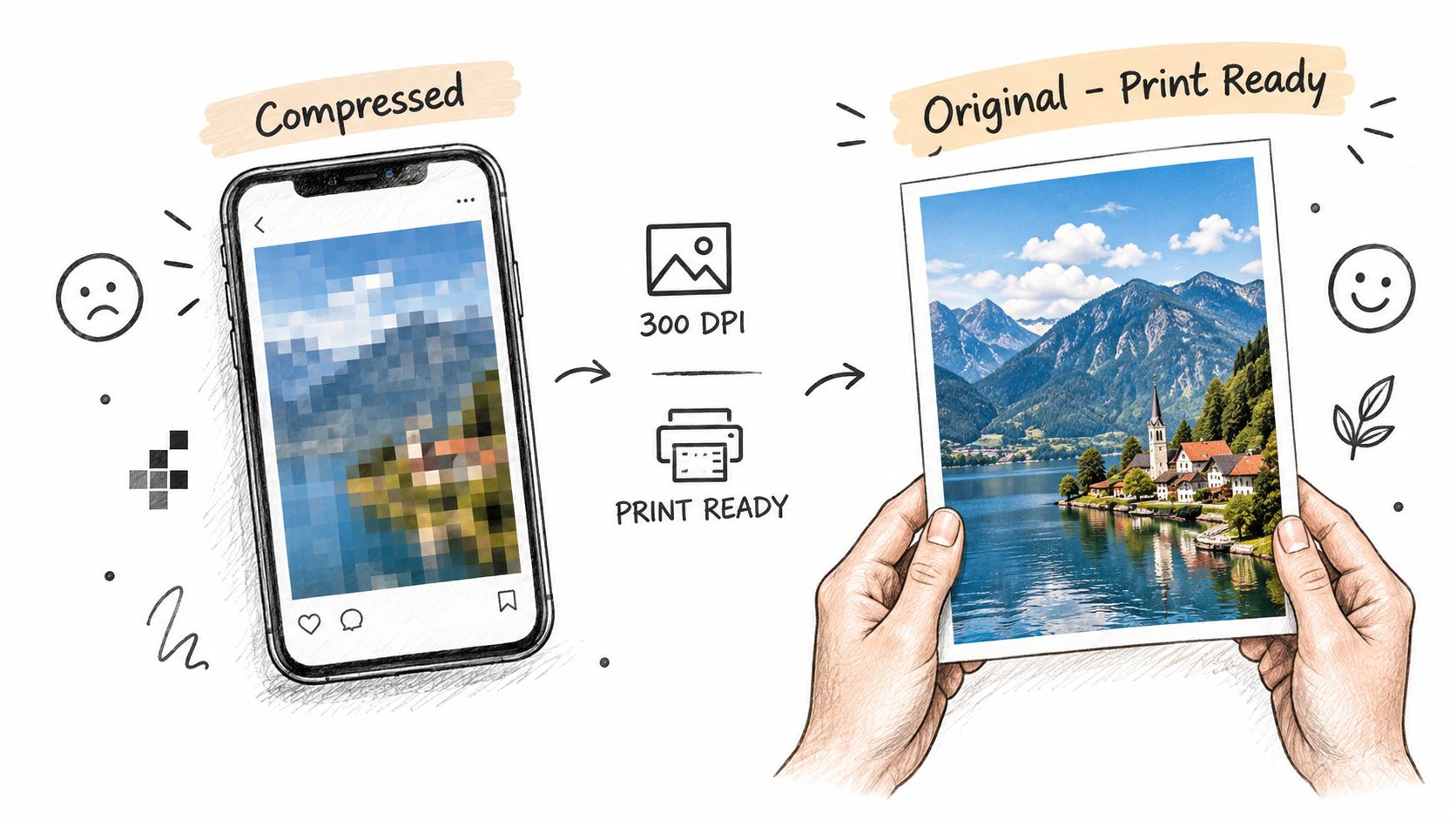
A photo that looks clear on a phone may not hold up when printed. Messaging services and social platforms can reduce image quality, while screenshots and repeated forwarding can make the problem worse. Captions about preservation should connect original files to a future use, such as a photo book, framed print, thank-you card, or large display.
Use precise but accessible wording:
- For an upload sign: Keep the original. Upload the photo here so it can be printed and archived.
- For a post-event message: Every photo stays in original quality for albums, displays, and future family memories.
- For a print-focused couple: High-resolution guest photos you can print without relying on a screenshot.
- For an archive reminder: Save the full-resolution file, not just the version shared in a chat.
Match the caption to the intended use
A technical phrase such as “lossless” may suit a photographer, planner, or detail-focused couple, but “original quality” is easier for most guests. Explain why the upload matters: the couple may want to print a candid of the grandparents, enlarge a dance-floor image, or include a phone photo in a future album.
The wedding photo-sharing service preserves original-quality files and supports individual downloads or a whole-album ZIP export. That gives couples a practical way to move from casual guest sharing to organized archival storage.
Don't promise that every phone image will look professional. Original quality preserves the file guests captured. It doesn't change focus, lighting, or composition, and honest wording builds more trust than suggesting otherwise.
6. Real-Time Event Experience Captions
During the reception, a guest photo can become part of the event itself. A live slideshow lets guests watch approved images appear as they upload, so captions should explain the sequence clearly: guests share, the couple or coordinator reviews, and selected photos reach the display.
Use the caption to match the moment:
- For a reception sign: Upload your view of the day. Approved photos may appear on the big screen.
- For a couple's announcement: Share a photo, then watch selected moments join the reception.
- For a venue package: Build a live album from the people in the room.
- For a dance-floor prompt: See the wedding through your guests' eyes, live on the big screen.

This format gives each group a different reason to participate. Guests may enjoy spotting themselves or friends. Couples can invite more people into the celebration, while venues and AV teams can make the screen an interactive reception feature.
Set expectations before the first upload
Treat the caption like a small signpost. It should tell guests where to scan, whether submissions are moderated, and which screen will show approved images. The Wedding Pics live wedding slideshow can display approved photos while pending submissions stay private, giving the couple control over visibility without removing the excitement of live sharing.
Keep the wording brief and pair it with large, high-contrast signage near the screen and at tables. Before guests arrive, confirm the screen connection, internet access, placement, and who handles moderation. A clear caption explains the route, while a tested setup keeps the experience easy to follow. For a warmer prompt, add a hashtag or invite guests to share a candid, dance-floor moment, or view from their table.
7. Family Engagement and Multi-Generational Captions
A wedding album feels more complete when it includes people who don't normally post online. Grandparents, aunts, uncles, parents, and children may all notice different details, from the ceremony processional to the final song. Family-focused captions should sound welcoming and remove any fear of doing something incorrectly.
Try direct, inclusive wording:
- For a family table card: Grandparents, aunts, uncles, and cousins, share your favorite view of the day.
- For a QR sign: Everyone can add a moment. Scan with your phone camera and upload without an app.
- For an heirloom-minded couple: Family photos from everyone who was there, saved for the stories we'll tell later.
- For a mixed-age group: Whether you're seven or seventy, your moment belongs in the album.
Avoid making older relatives the punchline. “Grandma can do this” can sound affectionate in one family and patronizing in another. A more respectful version is “No special app skills needed. If you can take a photo, you can share it here.”
Use large QR codes, readable type, strong contrast, and printed instructions with one action per line. Ask a trusted relative to help at the reception if someone needs assistance. You can also place a second sign near the family seating area, where guests may have more time to read.
Family captions work best when they connect ease with legacy. The point isn't merely to gather more files. It's to preserve the view of every generation that witnessed the celebration.
8. Destination and Multi-Day Wedding Captions
A welcome dinner photo may sit beside a beach outing, rehearsal, ceremony, late-night celebration, and farewell brunch. The caption should make that connection clear, so guests recognize each upload as part of the same weekend story.
Match the wording to the moment:
- Welcome dinner: Friday welcome dinner memories belong here. Keep the weekend together in one album.
- Multi-day sign: From rehearsal to reception and after-party, share every part of the celebration.
- Destination post: Destination wedding memories from every venue, gathered in one place.
- Brunch reminder: Before everyone travels home, add your favorite weekend photo.
Give each event its own place inside the album. Sub-albums for welcome dinner, ceremony, reception, after-party, and brunch work like labeled chapters, helping guests find the gathering they attended instead of searching through one long stream. Use the same hashtag across posts, then add a short event label when the couple wants easier sorting.
Match the caption to the travel schedule
Uploads may arrive from different time zones, hotel rooms, travel connections, or areas with uneven internet access. Print the QR code on welcome materials, room cards, and itinerary pages, then repeat it in post-event messages. “Upload whenever you're back online” gives guests a clear, low-pressure option to contribute later.
The Wedding Pics supports one album across pre-wedding events, the ceremony, reception, and after-party, with optional sub-albums. Plans vary by storage capacity and upload window, so couples hosting a longer or larger celebration should choose settings that cover the full schedule, not only the ceremony.
For international guests, keep instructions visual and language-light. A QR code, camera icon, and three short verbs are easier to follow than a paragraph of technical guidance. Use consistent formatting across signs, captions, and reminders, so every event feels connected while each gathering remains easy to identify.
9. Professional Coordination and Planning Captions
A planner posting a ceremony candid needs a different caption from an AV team sharing a live reception screen. Match the wording to the partner's role, then show guests and couples what happens next.
For a proposal, service page, or welcome guide, use a clear benefit statement:
- For planners: Add guest photo collection to the client experience. You provide the branded guidance, while the album gathers each upload.
- For venues: Give guests a simple way to contribute, then connect approved images to a reception display.
- For coordinators: Replace scattered photo requests across group chats with one collection point for the couple.
- For AV teams: Pair the approved guest gallery with the venue screen as an interactive reception feature.
The caption should answer three practical questions: who reviews submissions, where guests scan, and how the couple receives the files. A useful workflow caption might read, “Scan the card to share your view. Our team reviews submissions, displays approved images, and delivers the finished album after the celebration.”
Let the partner's role shape the message
A planner may need branded cards and a setup that can be repeated for different clients. A venue may focus on screen compatibility and a clear handoff to its AV team. A coordinator may value one organized collection that reduces follow-up requests after the wedding. The album stays the same, but the reason to use it changes.
Use a caption that fits the photo's setting:
- A behind-the-scenes planning image can say, “One organized gallery, ready for the couple and their guests.”
- A reception-screen photo can say, “Approved guest photos join the celebration as the evening unfolds.”
- A coordinator's team photo can say, “From QR card to final album, each step has a clear owner.”
The Wedding Pics provides browser-based guest uploads, moderation controls, original-quality downloads, live slideshow options, and private access settings. Present these features as workflow steps: place the QR cards, guide guests to the upload page, review submissions, display suitable images, and download the collection afterward. Keep the caption specific enough to build trust, while leaving space for the professional's own brand and process.
10. Customization and Personal Branding Captions
A guest photo should feel connected to the couple's celebration, whether it appears on a stationery suite, table card, welcome sign, or shared guest page. The wording, URL, QR card, and placement can work together so the album feels like part of the wedding design.
Match the caption to the touchpoint:
- For a stationery suite: Your album, your style. Share every moment through a guest page designed for your celebration.
- For a custom URL: Find the weekend's memories at the couple's personal guest link.
- For a table card: Scan the QR code, designed to match the details on your table.
- For a branded welcome sign: The celebration continues here. Add your photos to our private wedding album.
The Wedding Pics offers six guest-page looks: Classic ivory, Soft blush, Calm sage, Champagne, Midnight, and Garden. Choose the option that supports the existing palette. A minimalist invitation may suit a restrained page, while a garden celebration may pair with softer botanical styling.
Keep the guest experience visually connected
Repeat the couple's names, wedding date, typography, and tone across the QR cards, welcome sign, table cards, and follow-up message. This consistency works like a visual thread, helping guests recognize the album wherever they encounter it. A custom URL also makes the collection easier to identify when guests share it with family afterward.
On Premium, The Wedding Pics supports a custom guest URL, adding a polished branded detail to the collection. Keep the accompanying caption readable when decorative elements surround it. High contrast and generous spacing help guests find the instruction quickly, while the QR code remains the clearest action.
Personalization should support participation, not compete with it. Use the couple's style to set the mood, then give guests one direct invitation to scan, upload, and add their view of the day.
10-Point Comparison: Wedding Guest Caption Types
| Caption Type | Implementation Complexity 🔄 | Resource Requirements ⚡ | Expected Outcomes ⭐ 📊 | Ideal Use Cases 💡 | Key Advantages | |---|---:|---|---|---|---| | Nostalgic Memory-Building Captions | 🔄🔄, moderate copy/creative nuance | ⚡⚡, authentic visuals, audience insight | ⭐⭐⭐⭐, high emotional engagement; archival value 📊 | Couples valuing legacy, multi‑gen albums | Emotional resonance; higher guest participation | | Frictionless Participation Captions | 🔄, low; straightforward messaging | ⚡, QR cards, signage, basic UX testing | ⭐⭐⭐⭐, significant participation lift 📊 | Large/mixed‑tech guest lists, casual weddings | Maximizes adoption; no app friction | | Inclusive Perspective-Sharing Captions | 🔄🔄, medium; needs curation strategy | ⚡⚡, moderation, examples, community prompts | ⭐⭐⭐⭐, broader coverage; authentic storytelling 📊 | Couples wanting full visual coverage; candid focus | Validates guest contributions; richer story angles | | Centralized Convenience Captions | 🔄🔄, medium; systems + messaging | ⚡⚡, backend org, export tools, onboarding | ⭐⭐⭐⭐, reduces post‑event chaos; organized archive 📊 | Organization‑minded couples, fragmented sharing scenarios | One place for all photos; easy export/archive | | Quality Preservation Captions | 🔄🔄, medium; requires technical proof | ⚡⚡, storage, side‑by‑side demos, proof assets | ⭐⭐⭐⭐, print‑ready, long‑term preservation 📊 | Print/album focused couples, archival priorities | Keeps originals/full resolution; differentiates from apps | | Real-Time Event Experience Captions | 🔄🔄🔄, high; live moderation + AV setup | ⚡🔄, reliable internet, AV integration, operator | ⭐⭐⭐⭐, strong in‑moment engagement; entertainment 📊 | Receptions, tech‑forward couples, venues | Interactive slideshow; drives live participation | | Family Engagement & Multi‑Generational Captions | 🔄, low; simple inclusive language | ⚡⚡, large QR, print instructions, on‑site help | ⭐⭐⭐, wider demographic participation 📊 | Multi‑gen guest lists, family‑centric weddings | Inclusive; increases older‑generation submissions | | Destination & Multi‑Day Wedding Captions | 🔄🔄🔄, high; multi‑event coordination | ⚡🔄, sub‑albums, extended storage, moderation | ⭐⭐⭐⭐, consolidated multi‑day coverage 📊 | Destination weddings, multi‑day celebrations | Scalable organization; sub‑album timeline support | | Professional Coordination & Planning Captions | 🔄🔄🔄, high; B2B positioning & integration | ⚡🔄, sales, partnerships, custom features | ⭐⭐⭐⭐, operational efficiency; new revenue 📊 | Planners, venues, coordinators, enterprise use | Positions as professional tool; workflow gains | | Customization & Personal Branding Captions | 🔄🔄, medium; design + configuration | ⚡⚡, design themes, custom URLs, branded assets | ⭐⭐⭐, premium, cohesive guest experience 📊 | Style‑focused or premium weddings | Branded UX; differentiated, polished presentation |
Choose the Caption That Matches the Moment
The best wedding guest photo captions don't all sound alike. A family candid needs warmth and memory-focused language. A dance-floor image can handle a playful line. A QR sign needs concise instructions, while a destination album benefits from descriptive wording that identifies the day, venue, or event.
Start with the image, then choose the emotional purpose. Ask whether you're preserving a quiet memory, inviting a contribution, explaining a live display, thanking guests, or organizing a multi-day archive. Once that purpose is clear, the caption becomes easier to write and less likely to sound generic.
Use this quick editing checklist before publishing or printing:
- Personalize the wording: Add the couple's names, event name, family relationship, venue, or a specific moment when appropriate.
- Keep the couple central: If you're posting someone else's wedding, celebrate their relationship and the day rather than making the caption mainly about your outfit or attendance.
- Use hashtags respectfully: Include the couple's wedding hashtag if they've shared one, and check whether they prefer guests to wait before posting ceremony images.
- Make the first line useful: Put the key message first, especially on social posts where only part of the caption may appear before a reader taps for more.
- Use readable formatting: Break longer captions into short lines, keep QR instructions visually separate, and avoid decorative text that reduces contrast.
- Add a clear action: Say “scan,” “upload,” “add your photos,” or “share your favorite moment” when you're asking guests to contribute.
- Describe multi-day images: Label photos as welcome dinner, ceremony, reception, after-party, or brunch so the album stays easy to browse.
- Respect privacy: Don't post children, emotional moments, or behind-the-scenes images publicly without considering the people shown and the couple's preferences.
A private album is often the most practical home for the full collection. The Wedding Pics combines QR-based browser uploads, moderation, original-quality downloads, organized access, and optional live display features. Guests can contribute from their phones without an app or account, while couples can decide what appears publicly, what stays private, and when to export the finished archive.
The strongest caption is the one that makes the next step obvious and the memory feel worth keeping. Pair sincere wording with a low-friction collection process, and guest photos can capture the parts of the wedding that a formal shot list never could.
The Wedding Pics gives couples a private QR-accessed album for collecting guest photos, videos, and messages without requiring an app or sign-in. Create an organized collection with moderation, original-quality downloads, optional live slideshow display, and designs that fit your wedding, then visit The Wedding Pics to get started.
- wedding guest photo captions
- wedding photo ideas
- wedding hashtags
- guest photo album
- wedding social media